


Why Custom Jewelry Design Software Matters for Your Business
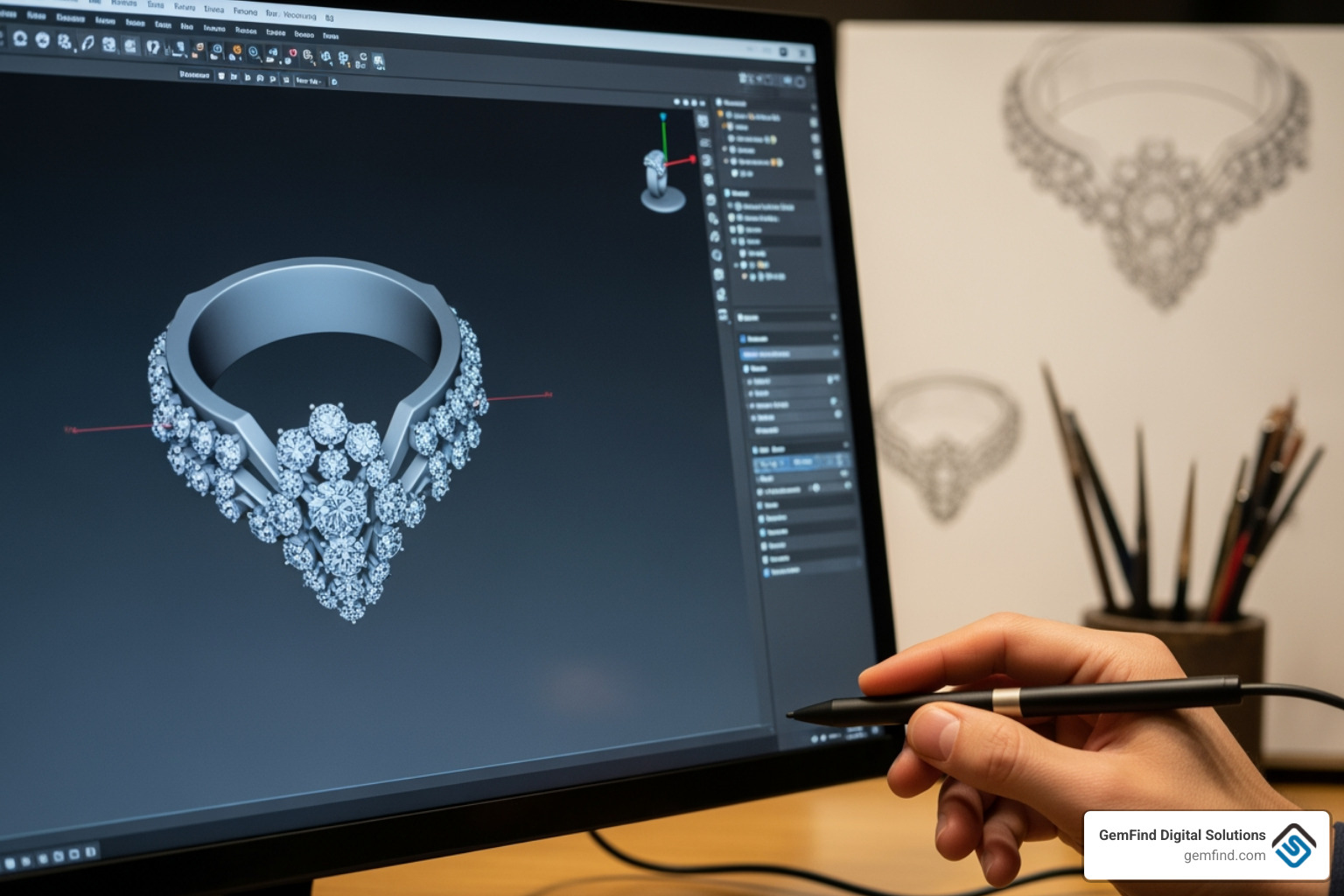
Custom jewelry design software is changing how jewelers create, collaborate with clients, and bring unique pieces to market. Here's what you need to know when choosing the right solution:
Quick Guide to Choosing Custom Jewelry Design Software:
- For In-Store Customization - CounterSketch or similar tools with 2,500+ templates for quick client consultations
- For Advanced Design Work - MatrixGold, 3Design, or Rhino with jewelry plugins for complete creative control
- For Fast, Web-Based Design - Pencil (90,000+ users) for simple, modern design without traditional CAD training
- For Manufacturing Integration - Look for STL export, 3D printing support, and production-ready file output
- For Client Engagement - Platforms with real-time pricing, 3D viewers, and online customization features
The custom jewelry segment is growing at 5.5% annually and expected to reach $35.5 billion by 2027. Meanwhile, 90% of consumers want personalized jewelry. This shift from sketch to screen isn't just about keeping up with technology - it's about meeting customer demand and staying competitive.
Traditional jewelry design required years of training in hand-drawing and complex CAD software. Today's specialized jewelry design tools cut that learning curve dramatically. Some platforms let you create your first design in just 5 minutes, while AI-powered features can reduce design time by up to 90%.
Whether you're a store owner wanting to offer customization without hiring a CAD designer, or a designer looking to streamline your workflow from concept to casting, the right software can transform your business operations and customer experience.
I'm Anthony Arechiga, Vice President of Sales at GemFind Digital Solutions, where I've spent over 15 years helping jewelry retailers implement Custom jewelry design software and digital solutions that drive sales growth. My work with hundreds of jewelers has given me deep insight into how the right technology can open up creativity while improving efficiency.
The Digital Jeweler's Workbench: Why Specialized Software is a Game-Changer
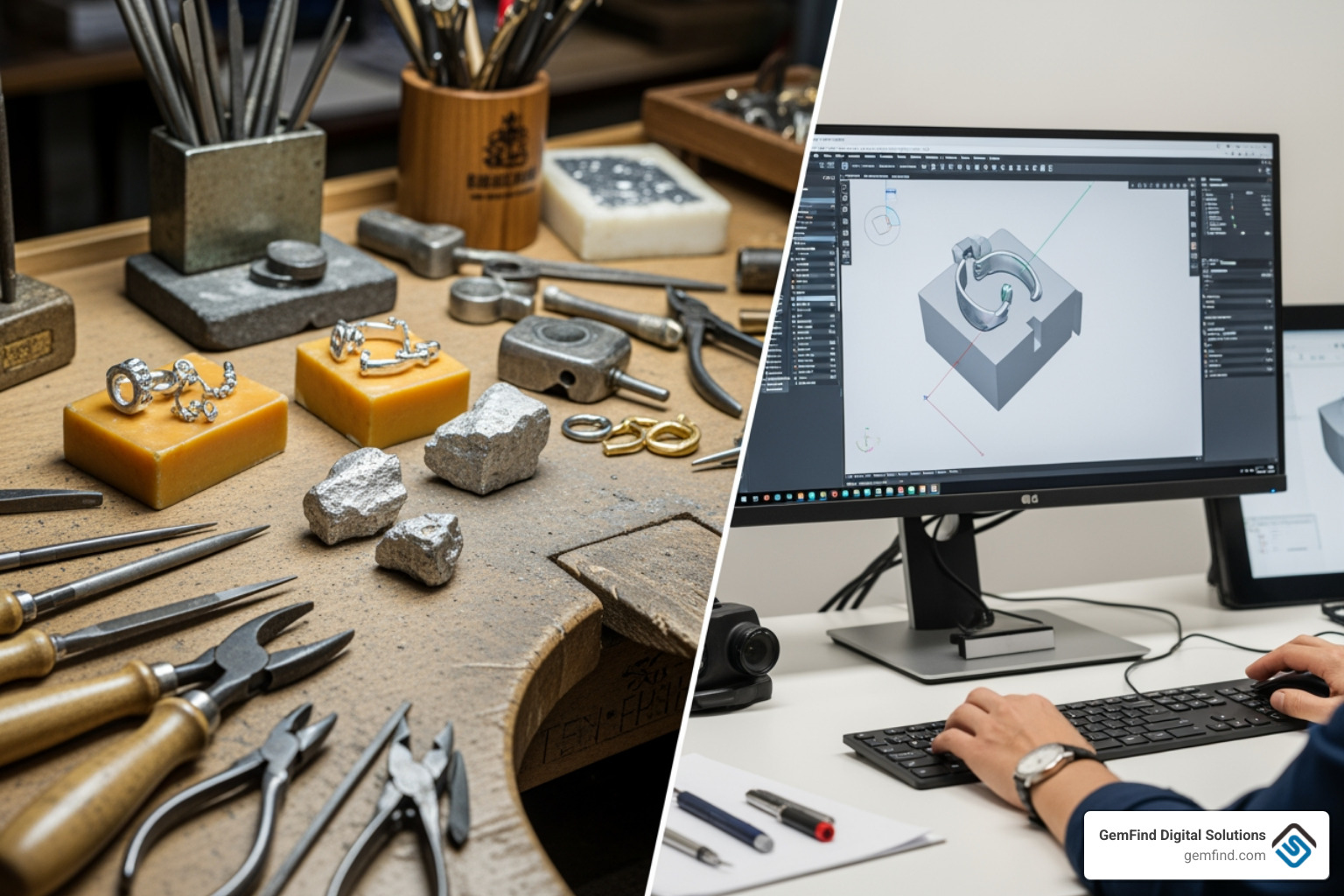
Imagine a jeweler's bench, gleaming with tools, but instead of files and wax carvers, there's a powerful computer screen displaying intricate 3D designs. This isn't science fiction; it's the modern reality of jewelry creation, all thanks to custom jewelry design software. This digital revolution offers incredible advantages, boosting efficiency, cutting costs, and bringing precision to an art form that has historically relied on manual skill. It's democratizing design, making jewelry creation accessible to aspiring designers who might not have years to dedicate to traditional apprenticeships.
The Benefits of Custom Jewelry Design Software
The benefits of embracing custom jewelry design software are profound for any jewelry business.
Firstly, it leads to significant time savings. What once took hours or days of hand-sketching and model-making can now be accomplished in minutes. For example, some platforms boast that you can create your first design in as little as 5 minutes. This speed allows us to explore more ideas, iterate rapidly, and respond to client requests with unprecedented agility.
Secondly, it contributes to reduced material waste. By designing and refining pieces virtually, we can catch errors and make adjustments before any precious metal or gemstone is committed. This precision minimizes costly mistakes during prototyping and manufacturing.
Thirdly, it fosters improved creativity. With the technical constraints handled by the software, designers are free to focus on the artistic vision, the storytelling, and the emotional connection of each piece. This leads to more innovative and unique designs that truly stand out in a competitive market.
Finally, integrating custom jewelry design software provides a significant competitive advantage. As 90% of consumers are interested in personalized jewelry, offering custom design services efficiently and beautifully can set us apart. It helps us attract and retain customers by engaging them directly in the creation process. Want to see how a custom jewelry builder can boost sales? Check out our insights on How a Custom Jewelry Builder Can Boost Sales.
Specialized vs. General CAD Tools
You might wonder, "Why not just use a general CAD program like those used in engineering or architecture?" That's a great question! While general CAD software like Rhino can be incredibly powerful and serves as a host platform for many jewelry-specific tools, specialized custom jewelry design software or dedicated plugins offer distinct advantages.
The primary difference lies in the jeweler-centric interface. Specialized software is built to "think like a jeweler," with tools that mimic traditional workshop processes and terminology. This intuitive design makes it far easier for jewelers to adapt, rather than having to learn complex engineering-focused commands. As one software provider puts it, "You do not need to be an engineer to be using this software. Design like the artist that you are!"
Furthermore, specialized tools often come with pre-loaded component libraries specific to jewelry, such as gemstone shapes, settings, shanks, and clasps. This saves immense time, as we don't have to model every tiny component from scratch. Software like CounterSketch, for instance, offers over 2,500 styles and 1,000 components for quick personalization.
These industry-specific tools also have built-in knowledge of jewelry manufacturing best practices, ensuring designs are production-ready. This leads to a shorter learning curve for jewelers and a more efficient workflow compared to adapting a general CAD program that wasn't originally designed for our unique needs.
Essential Toolkit: Key Features in Custom Jewelry Design Software
When we talk about the "essential toolkit" for custom jewelry design software, we're looking at a suite of features that empower jewelers to create, visualize, and prepare their designs for production. These capabilities move beyond simple drawing, enabling intricate detail and precision.
Core Design and Visualization Features
At the heart of any robust jewelry design software are its 3D modeling capabilities. This includes:
- NURBS modeling: Many professional programs, like Rhino, use Non-Uniform Rational B-Splines (NURBS) for creating smooth, precise, and highly accurate curves and surfaces. This is crucial for the organic and flowing forms often found in jewelry.
- Mesh modeling: Alongside NURBS, mesh modeling offers flexibility for more sculptural or free-form designs, often seen in organic or artistic pieces. Some software, like 3Design's 3Shaper module, is specifically designed for "creativity with NO limits" and "smoother surfaces" in free modeling.
- Dynamic measurement tools: These ensure that every aspect of the design, from stone dimensions to metal thickness, adheres to exact specifications, vital for both aesthetics and structural integrity.
- Gemstone libraries: A comprehensive library of pre-modeled gemstones, with various cuts, sizes, and even simulated optical properties, allows for quick placement and realistic previews.
- Setting tools: Specialized tools for creating prongs, bezels, pave, and other stone settings simplify what can be a complex part of jewelry design.
- Photorealistic rendering: Before a single grain of metal is cast, we can generate stunning, lifelike images of the finished piece. This feature is invaluable for client presentations, marketing materials, and e-commerce. It allows us to visualize changes in real-time and sell work without the expense of building each piece. To learn more about showcasing your pieces, read our guide on How to Best Showcase Your Custom Jewelry Pieces on Your Website.
- Weight calculation: Accurate weight calculation for different metals and alloys helps in pricing and material management. Pencil, for example, offers live weight calculation as you design.
Enhancing Functionality with Plugins and Add-ons
While core features provide the foundation, it's the ecosystem of plugins and add-ons that truly open ups the full potential of custom jewelry design software. These extensions improve functionality, allowing us to tailor our digital workbench to our specific needs.
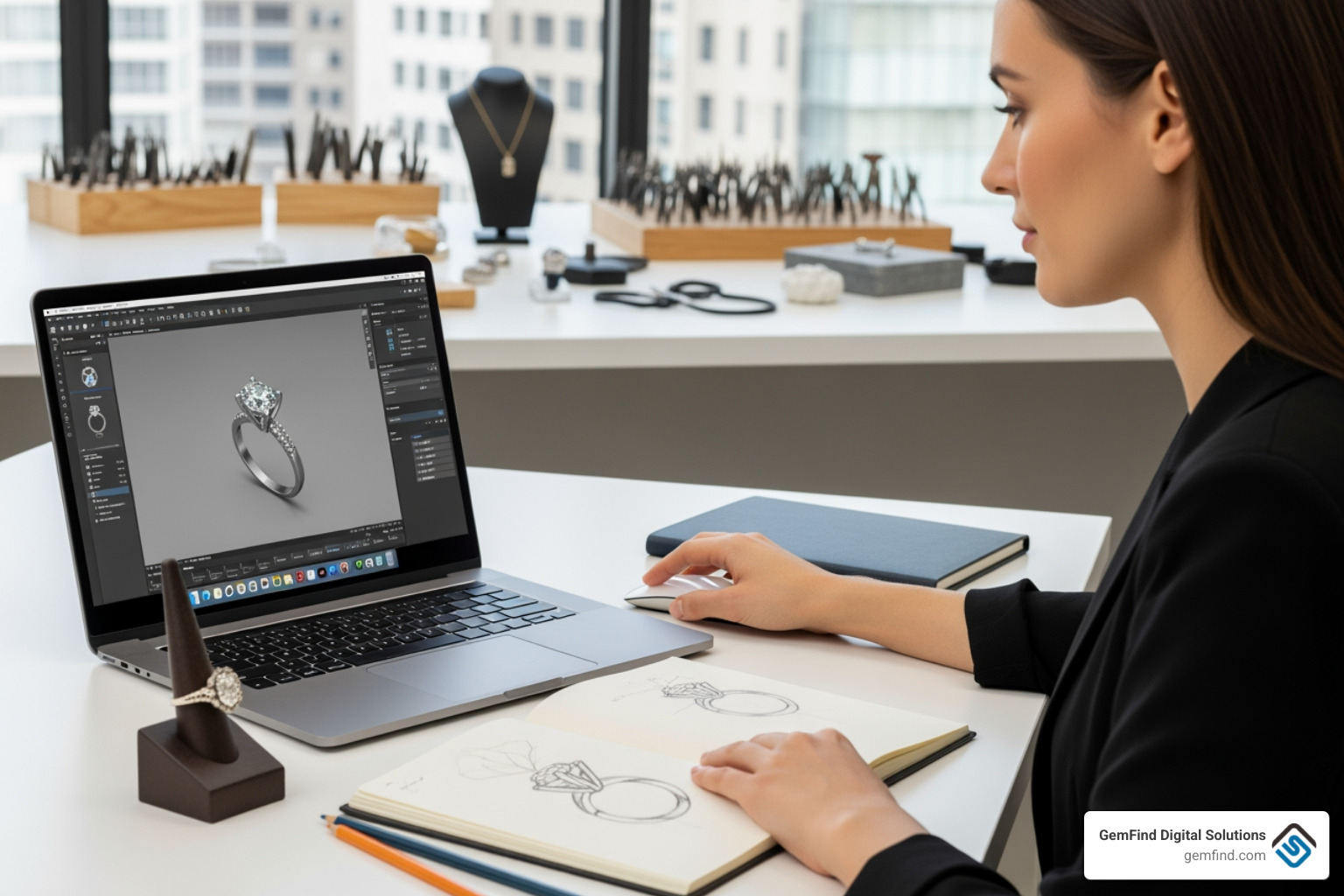
Many powerful programs, like Rhino, act as host platforms, enabling a vibrant marketplace of specialized plugins. These include:
- CAM integration: Computer-Aided Manufacturing (CAM) plugins, such as RhinoCAM or JewelryCAM, allow us to output accurate geometry for fabrication. They prepare files for CNC cutting directly within the design software, bridging the gap between design and physical production.
- Generative design tools: For exploring complex patterns and algorithmic designs, tools like Grasshopper (for Rhino), Peacock for Grasshopper, or Grasshopper Gold provide an incredible playground. These enable parametric systems and the exploration of organic repetition with local variations, pushing the boundaries of traditional design. There's even a Generative Jewelry Community dedicated to this.
- Specialized libraries: Beyond the basic gemstone libraries, plugins can offer extensive collections of pre-designed elements, textures, or even full jewelry styles. CounterSketch's vast library of customizable styles is a prime example of this, as are the "millions of elements" available in Pencil.
- Pave tools: Designing intricate pave settings can be incredibly time-consuming manually. Specialized pave plugins automate much of this process, ensuring precise stone placement and consistent results.
- Animation features: For captivating marketing content or detailed client presentations, animation plugins allow us to create dynamic views of jewelry, showcasing movement, sparkle, and intricate details in a way static images cannot.
These add-ons transform a powerful design tool into a comprehensive solution, enabling us to tackle virtually any design challenge and streamline our entire workflow.
The Future is Now: AI, Parametric Design, and Emerging Trends
The world of custom jewelry design software is constantly evolving, with exciting innovations like Artificial Intelligence (AI) and advanced parametric design leading the charge. These aren't just buzzwords; they represent a fundamental shift in how we approach creativity and efficiency in jewelry making.
The Power of Parametric Design
Parametric design is a game-changer for jewelry, offering incredible flexibility and efficiency. At its core, parametric software allows us to define designs based on parameters and relationships, rather than fixed geometry. This means:
- History tree: Every step of the design process is recorded, creating a "history tree." This non-destructive editing approach allows us to go back to any stage and make changes without starting from scratch. MatrixGold, for instance, merges functionality with a parametric environment, allowing modifications at any stage.
- Easy modifications: Need to change a stone size, adjust a shank thickness, or resize a ring? With parametric design, we simply alter a parameter, and the software automatically updates the entire design while maintaining all relationships and proportions. This saves immense time and ensures consistency.
- Creating configurable catalogs: One of the most powerful applications is the ability to create configurable 3D catalogs. With advanced parametric modules, we can generate "tens of models in few clicks" by simply adjusting predefined parameters, offering vast customization options to clients quickly.
- Client-side adjustments: This capability translates directly into better client collaboration, as we can make real-time adjustments during consultations, empowering clients to be part of the design process.
Software like 3Design heavily emphasizes its "powerful parametric engine" and "parametric construction tree" as key to saving time and having full control over designs.
The Role of AI in Custom Jewelry Design Software
Artificial Intelligence is no longer just for sci-fi movies; it's actively revolutionizing our industry. We're seeing AI integrated into custom jewelry design software in ways that improve creativity and drastically reduce design time.
- Prompt-based creation: Imagine describing your vision in natural language, and the AI interprets it to produce 3D renderings. This "prompt-based design" allows for rapid concept generation and exploration.
- AI-generated design variations: AI can generate hundreds of design variations based on initial inputs, helping us explore trends and develop concepts far more quickly than manual methods. This can reduce design time by up to 90%, freeing us to focus on the artistic decisions.
- Image-to-3D conversion: Some AI tools can even convert uploaded images or sketches into 3D designs, bridging the gap between traditional artistry and digital modeling. Pencil, for example, combines AI with intuitive design tools and allows for AI elements to be generated.
AI isn't here to replace human creativity. Instead, it serves as a powerful collaborator, handling repetitive tasks and technical constraints, and thereby freeing designers to focus on the artistry, emotion, and storytelling that make jewelry special. For those interested in the deeper technological aspects of jewelry, the GIA offers valuable insights: Learn more about jewelry technology at GIA.
From Concept to Customer: Streamlining the Entire Workflow
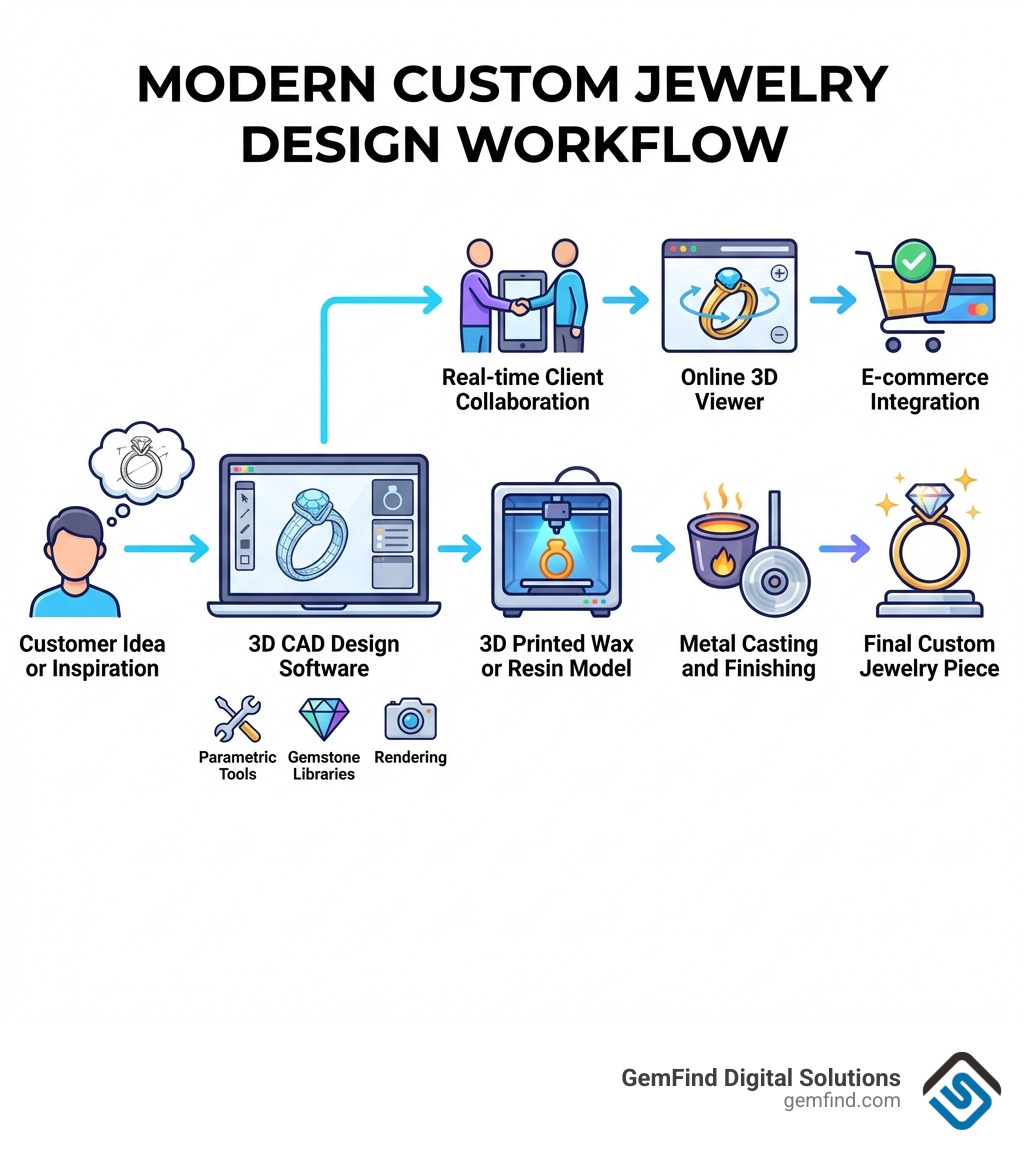
The journey of a custom jewelry piece, from a client's initial idea to a finished, wearable item, involves numerous steps. Custom jewelry design software acts as a central hub, streamlining this entire workflow, from initial client collaboration through to manufacturing and even e-commerce integration.
Facilitating Designer-Client Collaboration
In the custom jewelry world, the client experience is paramount. Software plays a critical role in making this process engaging and transparent:
- Real-time design sessions: Tools like CounterSketch empower jewelers to design alongside their customers, making them "co-creators." This interactive experience allows for immediate feedback and adjustments, ensuring the final design perfectly matches the client's vision.
- 3D viewers for websites: Once a design is conceptualized, it can be published to our websites with lifelike images and interactive 3D viewers. This allows clients to explore their potential purchase from every angle, even when they're not in the store.
- Interactive customization: Platforms can offer online custom designers, allowing customers to personalize elements like stone type, metal, and engraving directly on our websites. This not only improves the customer experience but also converts sales without necessarily needing a dedicated CAD designer.
- Instant pricing updates: As clients make selections or changes, the software can provide real-time pricing updates, ensuring transparency and helping manage expectations. CounterSketch, for instance, offers dynamic pricing with custom markups.
These features make the design process a collaborative adventure, building trust and excitement. We know how important engaging online tools are; that's why we've explored 5 Reasons You Need the RingBuilder® for Your Jewelry Website.
Supporting the Manufacturing Process
The ultimate goal of any design is to become a tangible product. Custom jewelry design software is indispensable in preparing designs for manufacturing:
- STL file export: The industry standard for 3D printing and many CNC machines is the STL file format. Software ensures accurate and clean STL file export, crucial for successful production. Rhino, for example, can export accurate 3D STL files for a wide range of popular 3D printers, including EnvisionTec, Asiga, 3D Systems, Solus, and SolidScape.
- CNC compatibility: Beyond 3D printing, some software and its plugins (like RhinoCAM or JewelryCAM) can prepare files directly for CNC cutting, allowing for precise milling of molds or components.
- Casting-ready models: The software helps us design models that are optimized for casting, taking into account factors like sprue placement and metal flow, reducing potential issues in the foundry.
- Repairing scanned meshes: Sometimes, we need to work from existing physical pieces or scans. Software can repair scanned meshes and convert point clouds into closed meshes, making them suitable for modification or 3D printing.
- 3D printing market growth: The use of 3D printing in jewelry manufacturing is exploding, projected to reach $2.1 billion by 2027. Software is at the forefront of this growth, enabling rapid prototyping and the creation of highly complex geometries that would be impossible with traditional methods. Phil Cook's tutorial on going "From Rhino into Formlabs" demonstrates this seamless workflow.
The software ensures that our designs are not just beautiful, but also manufacturable, reducing revisions and speeding up the entire production cycle.
How to Choose the Right Software for Your Business Needs
Selecting the perfect custom jewelry design software isn't a one-size-fits-all decision. It's a strategic choice that depends on several factors unique to your business. We need to consider our business goals, existing skill levels, budget, hardware capabilities, and the availability of training and support.
Evaluating Your Specific Needs
Before diving into software options, it's crucial to assess what you truly need:
- Retail customization vs. bespoke design: Are you primarily looking to offer quick modifications to existing styles in a retail setting (like CounterSketch with its template library), or do you need full creative control for one-of-a-kind bespoke pieces (like MatrixGold or 3Design)?
- Solo designer vs. large team: The size of your operation impacts the need for collaborative features, licensing models, and robust network support.
- Learning curve tolerance: Some software, like Pencil, prides itself on a minimal learning curve, allowing users to create their first design in minutes. Others, particularly those offering extensive power and flexibility, may have a steeper learning curve, potentially requiring dedicated training or courses. Traditional CAD software can have a 6-month learning curve, so understanding your team's capacity for learning is key.
- Integration with POS systems: For seamless operations, consider how the design software integrates with your existing Point of Sale (POS) system. Many top POS systems, including Edge, Crystal, and Lightspeed, are designed to work harmoniously with other jewelry-specific tools, allowing you to manage inventory, sales, and customer relationships efficiently.
Understanding these needs will help narrow down the vast array of choices.
Types of Software Solutions
The market offers a diverse landscape of custom jewelry design software, each with its own strengths:
- Standalone CAD platforms: These are dedicated software packages designed specifically for jewelry. Examples include 3Design, which boasts over 5000 customers worldwide and emphasizes its independent development and powerful parametric engine. These often offer a comprehensive suite of tools within a single application.
- Plugin-based ecosystems: These solutions leverage a powerful general CAD platform, such as Rhino, and improve it with specialized jewelry-specific plugins. Rhino powers the jewelry industry's design needs and serves as a host for industry-leading plugins like CrossGems, MatrixGold (which originated from RhinoGold), Pro-J, and RhinoArtisan. This approach offers immense flexibility and a vast community of developers.
- All-in-one design-to-sale web apps: A newer category, these platforms aim to simplify the entire process from design to selling. Pencil, for example, is an "all-in-one jewelry design and sales platform" used by over 90,000 designers. It combines intuitive design tools with features for manufacturing connection and direct publishing to e-commerce websites. These are often cloud-based and aim to reduce the need for extensive traditional CAD training.
Choosing the right type depends on your comfort with technology, your specific workflow, and your business model. For jewelers looking to lift their online sales with integrated apps, we have insights on Empowering Jewelers: Elevating Online Sales with Gemfind's Apps.
Conclusion
The journey of jewelry design has been dramatically reshaped by custom jewelry design software. It's a powerful tool that not only enables us to empower creativity by handling technical complexities but also dramatically increases efficiency across the entire design-to-production workflow. From rapid prototyping and realistic rendering to seamless manufacturing integration and improved client collaboration, software is a cornerstone of the modern jewelry business.
The future of the industry is undoubtedly digital, with AI and parametric design continually pushing the boundaries of what's possible. As technology advances, the distinction between designer and client blurs, opening up new avenues for personalization and engagement.
For any jewelry business, choosing the right tool is key to open uping growth and staying competitive in a market where personalized jewelry is increasingly in demand. We encourage you to carefully evaluate your specific needs, explore the diverse range of software solutions available, and accept the digital change.
At GemFind Digital Solutions, we understand the intricacies of the jewelry market and the power of digital tools. We're here to help you steer this exciting landscape and build a robust online presence that complements your design capabilities.


