



Why Paper Bags and Handwritten Notes Are Costing Your Jewelry Business
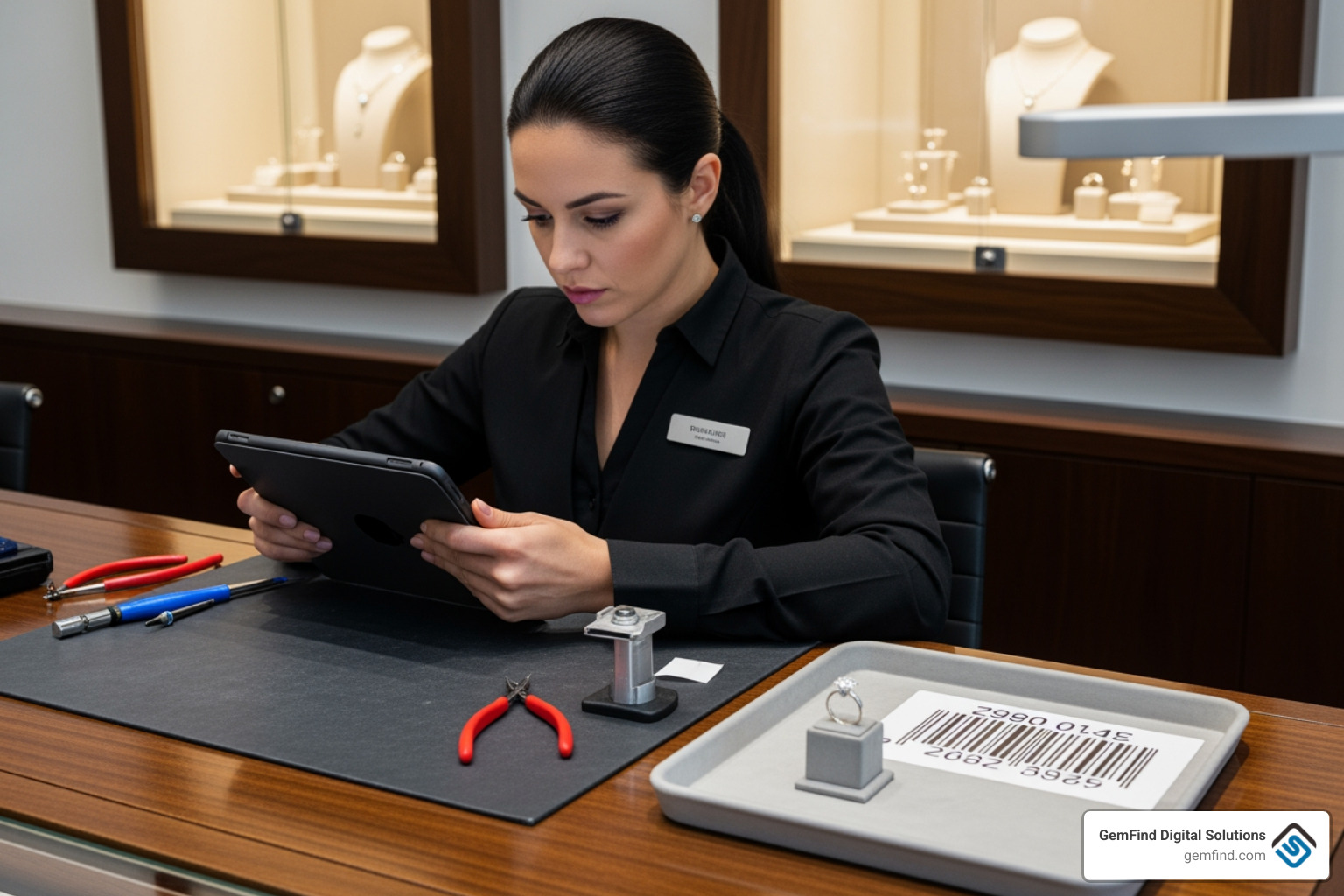
Jewelry repair tracking software helps jewelry stores digitally manage repairs from customer drop-off to pickup, replacing paper-based systems with automated notifications, photo documentation, barcode labels, and real-time status tracking—all while integrating with POS and inventory systems.
Key Benefits of Modern Repair Tracking:
When selecting a system, prioritize all-in-one POS capabilities, cloud reliability, and international support. A solution that integrates with your existing tools—like The Edge—can save your team hours of manual work every day while providing deep analytics into your repair business. By moving to a digital workflow, you can automate customer notifications and ensure every repair is instantly searchable.
Right now, your jewelry repair process probably looks something like this: paper bags scattered everywhere, handwritten notes that are hard to read, and customers calling constantly to ask "Is my ring ready yet?" You spend hours searching through piles of tickets, and there's always that nagging fear you'll lose track of someone's treasured heirloom.
The cost is real. Jewelry businesses using paper-based tracking waste time on manual tasks, create more opportunities for errors, and deliver a customer experience that feels outdated. Meanwhile, hundreds of jewelry stores have already switched to digital repair tracking systems that automate customer notifications, print professional barcode labels, and make every repair instantly searchable.
The transformation from paper chaos to digital efficiency isn't just about organization—it's about protecting your reputation. When you're handling customers' most treasured items, every detail matters. Digital tracking ensures nothing gets lost, customers stay informed automatically, and your team can focus on the actual repair work instead of administrative headaches.
I'm Anthony Arechiga, Vice President of Sales at GemFind Digital Solutions, and I've spent over 15 years helping jewelry businesses modernize their operations through technology. Throughout my career, I've seen how jewelry repair tracking software transforms businesses from reactive firefighting to proactive growth.
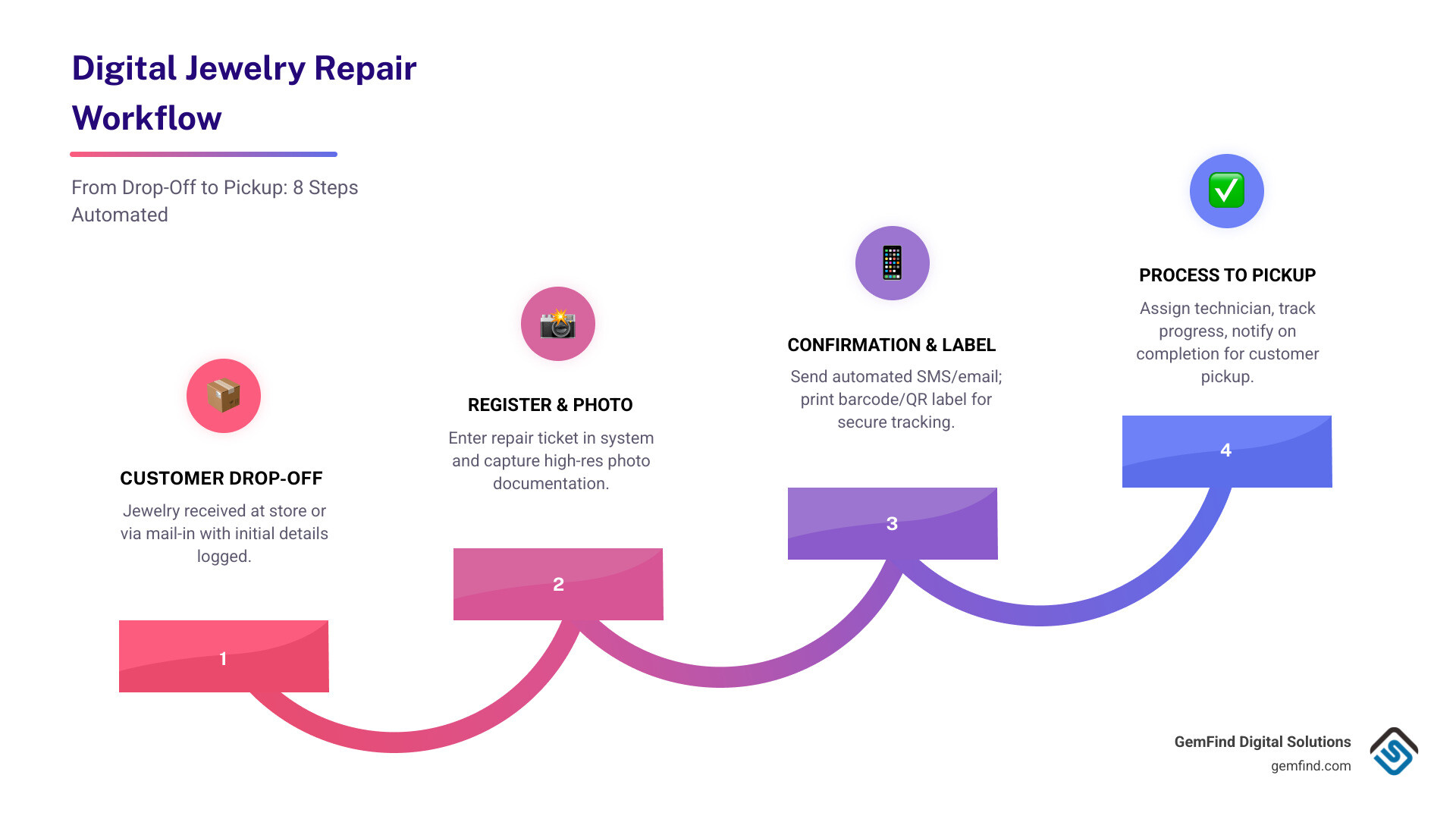
Simple guide to Jewelry repair tracking software terms:
The Essential Features of Jewelry Repair Tracking Software
When we look at what makes a modern jewelry business thrive, it isn't just the quality of the stones; it's the quality of the service. Jewelry repair tracking software provides a backbone for that service by ensuring every job—from a simple clasp replacement to a complex custom reset—is handled with surgical precision.
Photo Documentation and Visual Proof
One of the most critical features of any repair system is high-resolution photo documentation.

By capturing "before" photos at the moment of intake, you protect your business from liability. Did that diamond have a feather before it arrived? Was that prong already bent? With digital tracking, you can take photos via a webcam or mobile device and attach them directly to the digital ticket. This builds instant trust with the customer and provides your bench jeweler with a clear visual reference of the work required.
Progress Stages and Real-Time Updates
Traditional systems leave customers in the dark. Modern software uses progress stages (e.g., "Received," "In Queue," "On Bench," "Quality Control," "Ready for Pickup") to keep everyone aligned. When a technician moves a job from one stage to the next, the system can trigger automated SMS or email notifications. This "Amazon-style" transparency delights customers and significantly reduces the number of "status check" phone calls your staff has to answer.
Barcode Scanning and QR Code Labels
The days of squinting at handwritten numbers on a faded paper bag are over. Leading solutions allow you to print professional labels—like "Rat Tail" tags for rings or "Barbell" labels for thin chains—that feature unique barcodes or QR codes.
| Feature | Manual Paper Bags | Digital Tracking System |
|---|---|---|
| Searchability | Sifting through boxes/drawers | Instant search by name or ID |
| Communication | Manual phone calls | Automated SMS/Email |
| Organization | Physical piles | Digital dashboard & status stages |
| Accountability | Hard-to-read notes | Detailed audit trails & photos |
| Liability | Word of mouth | Digital signatures & pre-repair pics |
Streamlining the Intake and Repair Workflow
Efficiency starts at the counter. A streamlined intake process ensures that no detail is missed and that the customer feels their item is in safe hands.
Customer Drop-offs and Mail-in Repairs
Whether a customer walks into your showroom or sends their jewelry via mail, the software handles the intake seamlessly. For mail-in repairs, many systems integrate with online appointment calendars and digital intake forms. This allows customers to start the process from home, providing their details and repair needs before the item even reaches your store.
Pre-Repair Checklists and Digital Signatures
To ensure consistency, we recommend using pre-repair checklists. These prompts remind your staff to check for loose stones, metal purity, and existing damage during intake. Once the details are logged, the customer can provide a digital signature on a tablet or touchscreen, acknowledging the terms of service and the estimated price. These diagnostic notes and signatures are stored permanently in the cloud, offering robust liability protection.
Internal Processing and Technician Assignment
Once the item is in the system, it needs to get to the right person. Jewelry repair tracking software allows shop managers to assign tasks to specific technicians based on their expertise. You can track overdue tasks, set priority levels, and monitor the internal processing time to ensure you meet your promised completion dates.
Integrating Repairs with Sales and Inventory Management
A common mistake we see is jewelry stores using one system for sales and a completely separate one for repairs. This creates "data silos" where inventory isn't synced and customer history is fragmented.
POS Operations and Retail Sales
The best jewelry repair tracking software functions as an all-in-one POS (Point of Sale). This means you can sell a pair of earrings and take in a watch repair in the same transaction. A unified dashboard gives you a 360-degree view of your business, combining retail sales data with repair revenue.
Parts Inventory and Automated Stock Alerts
Repairs often require parts-jump rings, lobster claws, or specific stones. When a technician uses a part for a repair, the software should automatically deduct it from your inventory. If stock levels drop below a certain threshold, automated stock alerts can notify you to place vendor orders, ensuring you never have to tell a customer a repair is delayed because you're out of a simple part.
Billing, Invoicing, and Multi-Store Management
Professionalism extends to the final bill. Software allows you to generate branded invoices and even send payment links via email so customers can pay before they arrive for pickup. For businesses with multiple locations, cloud-based software enables you to track jobs across different stores, ensuring that a repair dropped off at "Store A" can be tracked and managed by a manager at "Store B."
Customizing Your Jewelry Repair Tracking Software for Brand Consistency
Your software should look like your business, not a generic tool.
- Branded storefronts: Customize the customer-facing digital portal where clients check their repair status.
- Custom labels: Use specialized templates like Rat Tail tags for pendants and Barbell labels for small watches.
- Form builders: Create custom intake forms that ask the specific questions relevant to your specialty, whether it's vintage restoration or modern watchmaking.
- Email templates: Personalize your automated notifications with your logo, brand colors, and unique voice.
Security and Accessibility in Jewelry Repair Tracking Software
When you are storing customer data and tracking high-value items, security is non-negotiable.
- Cloud-based access: Access your dashboard from any device-phone, tablet, or laptop-with an internet connection.
- Reliability: Look for providers that offer 99.95% uptime and daily backups.
- Encryption: Ensure the software uses SSL encryption and industry-standard security protocols.
- Data migration: Most top-tier providers offer free data migration to help you move your existing records from Excel or older software into the new system.
- Two-factor authentication: When available, enable 2FA for staff logins to better protect customer data and internal access.
- Mobile accessibility and scalability: Confirm the system works smoothly on mobile devices and can scale as your repair volume, staff count, or locations grow.
Frequently Asked Questions about Jewelry Repair Management
How does software reduce errors and lost items?
Software creates a centralized database where every repair is a searchable digital ticket. By using barcode matching, you ensure the physical item always matches the digital record. Automated reminders and audit trails mean that no job sits forgotten in a drawer, and every touchpoint by a staff member is logged for accountability.
Can I manage both retail sales and repairs in one system?
Yes! In fact, we highly recommend it. An all-in-one POS system allows you to unify your dashboard. This syncs your inventory, combines your financial reporting, and ensures your customer CRM (Customer Relationship Management) includes both their purchase history and their repair history.
Is it possible to track mail-in repairs?
Absolutely. Modern systems offer online portals where customers can create their own repair requests. You can provide digital intake forms, shipping integrations for labels, and automated status notifications that keep the customer informed from the moment their package arrives at your facility until it is shipped back to them.
Conclusion
The transition from "paper bag chaos" to a streamlined digital workflow is the single most impactful change a jewelry business can make for its operational health. By adopting jewelry repair tracking software, you eliminate operational headaches, reduce the risk of lost items, and provide the high-tech, transparent experience that modern customers expect.
At GemFind Digital Solutions, we understand that technology should empower your craft, not complicate it. With over 25 years of industry-specific expertise, we help jewelry stores integrate the right tools to drive growth and efficiency. Whether you need a robust POS integration (including Edge POS integration) or a tailored digital storefront, we have the expertise to help you succeed.
Ready to stop losing your marbles and start growing your business? Start your digital transformation today with GemFind Digital Solutions.


