


Why Shopify Plus Multi-Store Matters for Growing Jewelry Businesses

Shopify Plus multi-store lets you run up to 10 separate online stores under a single license. Here's a quick overview:
- Included Stores: 1 primary store + 9 expansion stores at no extra cost.
- Centralized Control: Manage users, billing, and security from one Organization Admin dashboard.
- Independent Stores: Each store has its own products, customers, design, and settings.
- More Stores: Add stores beyond the initial 10 for approximately $300/month each.
- Brand Rule: All expansion stores must belong to the same brand family.
Managing multiple stores is a growth accelerator for expanding into new markets, separating B2C and B2B sales, or launching new product lines. Shopify Plus provides the infrastructure to scale without losing control.
However, the platform has challenges like fragmented inventory and duplicate SEO work. Fortunately, most limitations have workarounds using third-party tools and smart strategies.
I'm Anthony Arechiga, VP of Sales at GemFind Digital Solutions. With over 15 years of experience helping jewelers with e-commerce, including complex Shopify Plus multi-store setups, I'll guide you through the architecture, its native capabilities, and how to overcome its limitations.
Open uping the Core Capabilities of Shopify Plus Multi-Store Management
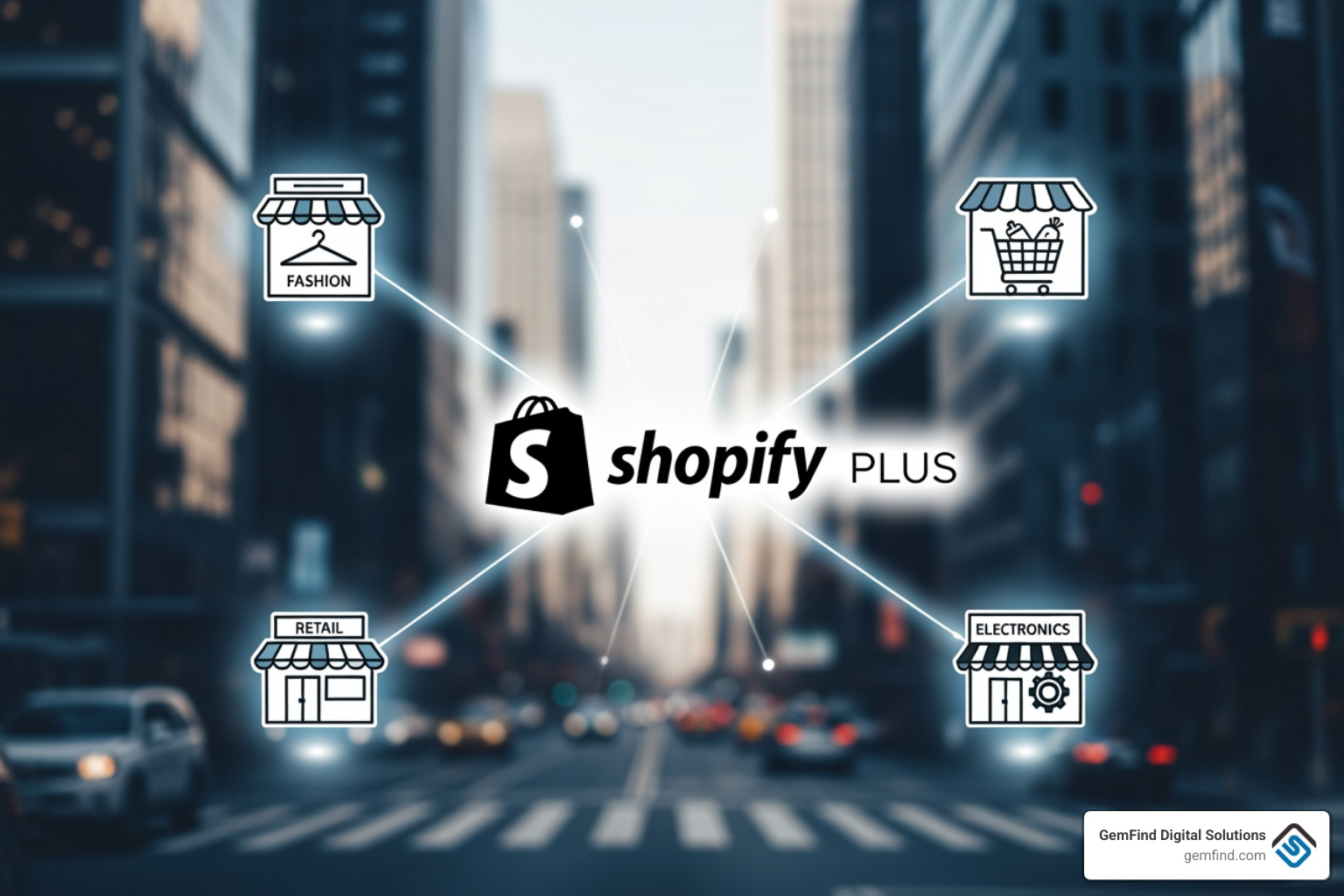
With Shopify Plus multi-store, managing your brand's diverse online presence becomes streamlined. This section explains the out-of-the-box features, focusing on the centralized control panel and the strategic goals it helps achieve.
What is Shopify Plus and How Does it Support Multiple Stores?
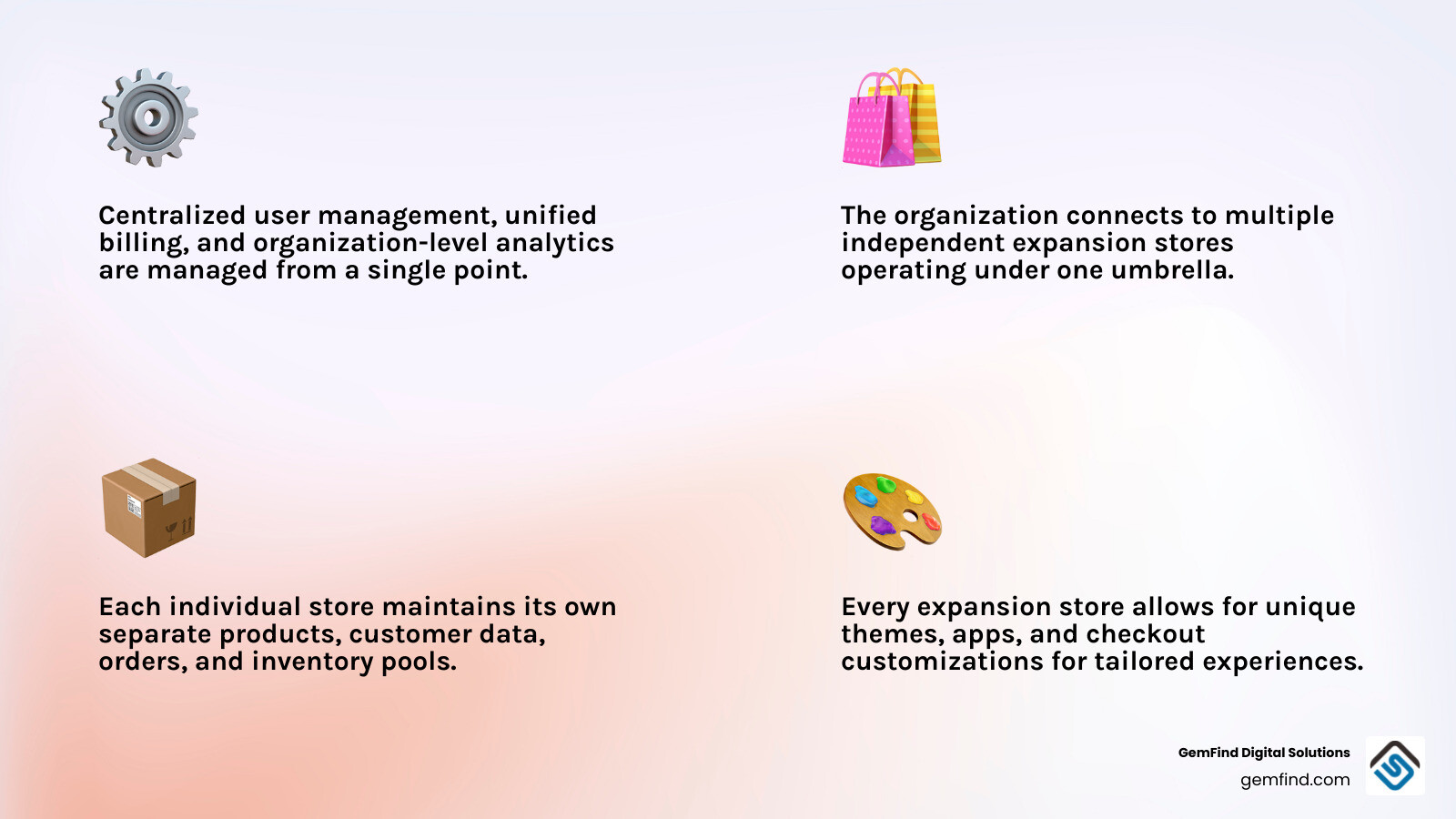
Shopify Plus is the platform's enterprise plan, designed for high-volume merchants. A single contract includes a primary store and up to nine expansion stores at no additional cost, allowing you to manage up to 10 distinct storefronts. These are independent stores, each with its own products, customers, themes, and checkout experiences.
The Organization Admin dashboard is the heart of this ecosystem. It's a centralized panel for managing users, security, and billing across all stores. It also provides an organization-level analytics overview, which is invaluable for maintaining brand consistency while catering to diverse markets. You can Learn more about the Shopify Plus plan for specifics.
What Business Objectives Does Shopify Plus Multi-Store Support?
The flexibility of a Shopify Plus multi-store setup helps you expand your reach and refine operations. Here’s how:
- Market Expansion and Localization: Create separate stores for different markets with localized languages, currencies, and content. This helps your brand resonate with local customers, such as having separate US, Canadian, and European stores.
- Customer Segmentation (B2C vs. B2B): Set up distinct storefronts for retail (B2C) and wholesale (B2B) customers. This allows for custom pricing and product assortments for B2B buyers without affecting the B2C experience.
- Product Line or Sub-Brand Expansion: Give distinct product lines or sub-brands their own unique identity and marketing. For example, a fine jewelry line and a fashion jewelry line could have separate stores with their own aesthetics.
- Omnichannel Retail and Event Activation: Link physical locations with POS-only stores for real-time inventory visibility and unified sales data. You can also create temporary stores for pop-up events or seasonal sales.
- Employee and VIP Engagement: Offer exclusive discounts or early access to new collections through private stores for employees, ambassadors, or VIPs to foster community.
By leveraging these capabilities, you can strategically grow your business. For more insights, check out our guide on how to Boost Your Jewelry Store's Online Presence with Shopify.
Key Features and Recent Improvements for Multi-Store Operators
Shopify Plus is packed with features to make multi-store management efficient.
Key features include:
- Unlimited Staff Accounts: Scale your team without extra user fees. Assign specific roles and permissions across your organization or to individual stores.
- 99.99% Uptime SLA: A Service Level Agreement guarantees 99.99% uptime, ensuring your stores are almost always live and minimizing missed sales.
- Shopify Flow Automation: Automate tasks like inventory alerts, customer tagging, and fraud prevention within each store. It operates on a per-store basis.
- Launchpad for Promotions: This Plus-exclusive app lets you schedule and automate promotions, sales, and product releases in advance.
- Advanced Checkout Customization: Shopify Plus offers extensive control over the checkout with the Checkout Branding API and Shopify Extensions, enabling unique, branded checkout flows for each store.
- Shopify POS Pro Integration: Get real-time inventory visibility across all stores and up to 200 physical locations (included in Plus plans). Sales associates can check stock at other locations and ship items to customers, improving the omnichannel experience.
- Unlimited Staging Stores: Safely test new features, themes, or integrations with unlimited staging stores without affecting your live sites.
Shopify is also streamlining the multi-store experience by moving key organization settings into individual store admins. This makes it faster to manage user accounts, billing, and performance from a single interface. As Shopify notes, you can Manage Your Organization Faster and More Efficiently on Shopify Plus.
Overcoming Limitations: A Strategic Guide to a Unified Store Ecosystem
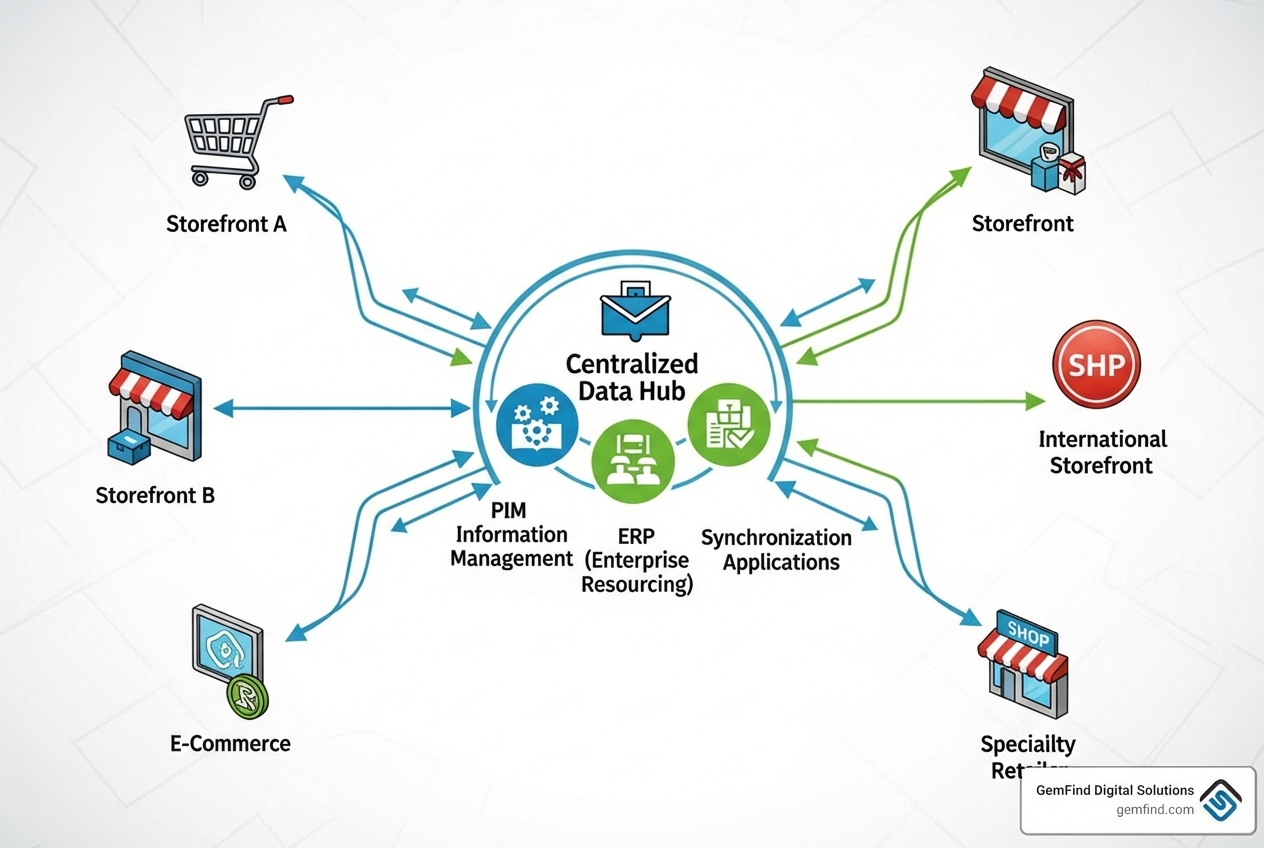
While Shopify Plus multi-store offers incredible growth opportunities, it's important to understand its limitations. This section addresses common challenges and provides actionable solutions for creating a unified commerce ecosystem.
Challenge 1: Centralizing Product and Inventory Management
A key limitation is the lack of native, centralized product and inventory management. Each store has a separate product catalog and inventory pool, meaning changes in one store don't propagate to others, and inventory is tracked independently.
Our Solutions:
- Product Information Management (PIM) Systems: A PIM acts as a single source of truth for product data, ensuring consistency across all stores. It allows you to manage and push data to each storefront. Popular PIMs include Akeneo, Pimberly, Jasper PIM, and InRiver PIM. Shopify also highlights the benefits of using a PIM.
- Inventory Sync Apps: Sync apps manage inventory across multiple stores by monitoring a master source and updating expansion stores in near real-time. Popular options include Syncio and Rewind’s Replay sync’ing solution.
- ERP Integration: For larger businesses, an Enterprise Resource Planning (ERP) system can act as the central hub for all product and inventory data. This ensures consistency across online stores and other business operations like fulfillment and accounting.
Challenge 2: Consolidating Reporting and Analytics
Shopify Plus provides reporting at the individual store level, making it difficult to get a holistic view of business performance. Data is fragmented, and inconsistent tagging can make cross-store comparisons difficult.
Our Solutions:
- Business Intelligence (BI) Platforms: BI platforms like Google Looker Studio connect to all your stores via API to consolidate data. This allows you to create custom dashboards for a unified view of sales, customer behavior, and marketing performance.
- Data Warehouses: A data warehouse aggregates data from all your Shopify stores, ERP, and other systems into a single database. This enables complex queries and in-depth analysis across the entire organization.
- Custom API Integration for Data Aggregation: Custom integrations using Shopify's APIs can pull data from each store into a centralized database or dashboard, offering maximum flexibility in data collection and presentation.
Challenge 3: Managing SEO and Content Duplication
Operating multiple stores for different markets creates SEO challenges like duplicate content and keyword cannibalization, as search engines see each store as a distinct website.
Our Solutions:
- Unique Content per Store: Create unique, localized content for each store to avoid duplicate content penalties. This involves rewriting descriptions, adjusting tone, and using region-specific keywords. For international stores, this means true localization, not just translation.
-
Hreflang Tags for International SEO: Use
hreflangtags for international stores with similar content. These tags tell search engines which page version to show to which audience, preventing duplicate content issues and ensuring the correct store ranks locally. - Consistent Domain Strategy: Adopt a clear domain strategy using country-specific TLDs (e.g., .co.uk), subdomains (e.g., uk.store.com), or subdirectories. The choice depends on your SEO goals and technical setup.
- Headless CMS: A headless CMS separates content management from the storefront, acting as a central hub. Create content once and publish it to multiple stores, customizing the display for each while ensuring consistency.
- Enterprise SEO Platforms: Use enterprise SEO platforms to monitor keyword performance, identify cannibalization, and manage your overall SEO strategy across all stores. For more, explore More on Shopify Plus SEO.
Challenge 4: Extending Cross-Store Automation and Promotions
Shopify Flow and promotion management are store-specific. Automations and campaigns must be set up individually for each store, which is time-consuming and can lead to inconsistencies.
Our Solutions:
- Custom Middleware: Custom middleware can connect your stores and other systems (ERP, PIM). It can listen for events in one store and trigger actions in others, such as pushing a new product from a master store to all expansion stores.
- Marketing Automation Platforms (MAPs): Platforms like Klaviyo or Omnisend can centralize marketing by connecting to all your stores. This allows for unified campaigns, customer segmentation, and loyalty programs from one dashboard.
- Custom Scripts: Custom scripts using Shopify's APIs can automate recurring tasks like applying discounts or updating product tags across multiple stores. This is a common agency practice for rolling out changes efficiently.
- Syncing Solutions/Apps: Syncing apps like Rewind’s Replay sync’ing solution can also replicate settings or product attributes relevant to promotions, reducing manual work.
Strategic Implementation: Costs, Expansion, and Customization
Implementing a Shopify Plus multi-store strategy requires careful planning around costs, global expansion, and customization. This section covers the practical decisions and financial aspects of scaling a multi-store operation.
Understanding the Costs and Contracts
Before committing, understand the Shopify Plus financial structure.
- Shopify Plus Pricing: The base plan starts around $2,500/month (1-year term) or $2,300/month (3-year term), including 1 primary and 9 expansion stores.
- Localized Pricing: Pricing varies by currency and term. Check the Shopify Pricing page or contact sales for an accurate quote.
- Variable Platform Fee: A negotiable, variable platform fee based on revenue may apply. Clarify this with the Shopify Plus team.
- Transaction Fees: Using Shopify Payments offers competitive rates. Third-party gateways incur their own fees plus a small Shopify fee. See the Shopify Pricing page for details.
- Cost per Additional Store: Additional stores beyond the included 10 can be negotiated, typically costing around $300 per month each.
- App and Theme Licensing Costs per Store: Budget for app and theme costs, which are licensed per store. Using an app on 10 stores means 10 licenses. Negotiate enterprise licenses or consider custom apps to manage costs.
- Custom Development and Partner Costs: Budget for Shopify Plus Partners for custom integrations, features, or migrations. See our guide for migration tips.
Global Expansion: Shopify Markets vs. Expansion Stores
For global expansion, Shopify offers two tools: Shopify Markets and expansion stores. The choice depends on your need for localization versus operational independence.
| Feature / Consideration | Shopify Markets | Shopify Plus Expansion Stores |
|---|---|---|
| Operational Control | Centralized in one store | Independent for each store |
| Product Assortment | Same product catalog across markets, with some regional hiding | Fully independent product catalogs |
| Pricing Strategy | Localized pricing (fixed, percentage, exchange rate) | Fully independent pricing |
| Currency Management | Multi-currency support (automatic conversion) | Local currency for each store |
| Language Management | Localized languages (apps/translations) | Dedicated language for each store |
| Checkout Customization | Limited to single store's checkout | Unique checkout experience per store |
| Domain Strategy | Subdomains/subfolders (e.g., store.com/fr) | Country-specific TLDs (e.g., store.fr) |
| Inventory Management | Shared inventory across markets | Separate inventory pools |
| Apps & Themes | Single installation, applies to all markets | Separate installation/billing per store |
| SEO | Centralized SEO, hreflang for variants | Dedicated SEO per store/domain |
| Ideal Use Case | Streamlined localization for minor regional differences | Full independence for key markets with distinct operations |
When to Use Shopify Markets: Shopify Markets is ideal for streamlined international selling from one store. Use it when you want to offer localized experiences (currency, language) without managing separate stores, your product catalog is consistent across regions, or you're testing new markets.
When to Use Expansion Stores: Expansion stores are best for full operational independence. Use them when you need distinct product assortments, pricing, or promotions per market; require unique checkout flows or region-specific apps; or need to manage separate legal entities and fulfillment.
The Hybrid Approach: A hybrid approach combines both: use Shopify Markets for smaller regions to centralize management and expansion stores for key markets requiring full independence. This optimizes for both efficiency and performance.
Managing Brand Restrictions and Scalability
The Shopify Plus multi-store framework has rules regarding brand identity and store count.
- Brand Family Rule: All expansion stores under one contract must belong to the same brand family. Sub-brands are fine, but unrelated brands typically require separate contracts.
- Multi-Brand Agreements: Businesses with unrelated brands may be able to manage them under one organization account via a multi-brand agreement, but each brand will likely need its own Plus license. This requires negotiation with Shopify sales.
- Store Count Limits: A standard license includes 10 stores (1 primary + 9 expansion) at no extra cost.
- Adding More Stores: More than 10 stores can be added for an extra fee, usually around $300/month per store.
- Development and Staging Stores: Development and staging stores don't count toward the limit. Shopify Plus includes unlimited staging stores for testing.
If you have complex multi-brand scenarios, contact the Shopify Plus team directly.
Customizing B2B and Checkout Experiences
One of the key advantages of Shopify Plus multi-store is its flexibility for B2B sales and checkout customization.
- B2B on Shopify: Shopify Plus offers robust B2B features. You can create dedicated B2B stores with wholesale pricing, net payment terms, and company accounts for business buyers.
-
Custom Checkout Flows: Shopify Plus provides extensive control over the checkout. Key features include:
- Checkout Extensibility: This modern framework lets you customize the checkout by adding UI elements and apps without editing code, enabling unique, branded checkouts for each store.
- Shopify Extensions: With Shopify Extensions, you can add custom functionality and visual changes to the checkout, aligning it with each store's brand.
- Shopify Functions: These enable flexible customizations via custom apps. This is powerful for implementing store-specific logic for shipping rates, dynamic discounts, and custom payment gateways.
Frequently Asked Questions about Shopify Plus Multi-Store
Here are answers to common questions about a Shopify Plus multi-store setup.
How many stores can I have with one Shopify Plus contract?
A standard Shopify Plus license includes 10 stores (1 primary + 9 expansion) at no extra cost. You can negotiate to add more stores for an additional fee, typically around $300 per month each. Contact the Shopify Plus sales team for specific details.
Can I run two completely different brands under one Shopify Plus contract?
Generally, no. Expansion stores must belong to the same brand family (e.g., sub-brands, regional stores). Unrelated brands require separate Shopify Plus contracts. Large organizations may be able to negotiate a multi-brand agreement to manage separate contracts under one organization account, but each brand will still have its own license.
Do my apps and themes sync across all my stores?
No. Apps and themes are installed, configured, and billed on a per-store basis. If you use an app on five stores, you'll need to install, configure, and pay for five separate licenses. This is a key factor for budgeting in a Shopify Plus multi-store environment. Consider negotiating enterprise licenses with app developers or building custom apps for shared functionalities.
Conclusion: Build Your E-commerce Empire with a Unified Strategy
Shopify Plus multi-store is a powerful framework for growth, but success requires a strategy to overcome its limitations. While it offers centralized user and billing management and enables independent stores for market expansion, it presents challenges like fragmented data, SEO duplication, and limited automation.
These challenges are solvable. By integrating tools like PIMs and BI platforms, using custom scripts, and adopting smart SEO strategies, you can create an efficient multi-store ecosystem. Understanding the differences between Shopify Markets and expansion stores, plus the pricing and brand rules, is key to scaling globally.
At GemFind Digital Solutions, our expertise can help jewelers steer these complexities. We design custom Shopify Plus architectures custom to the jewelry industry's unique demands, driving growth across your organization.
Ready to scale your business? Explore our Shopify Plus services.


