



The Facebook Ads Library Is Your Best Free Tool for Competitor Research
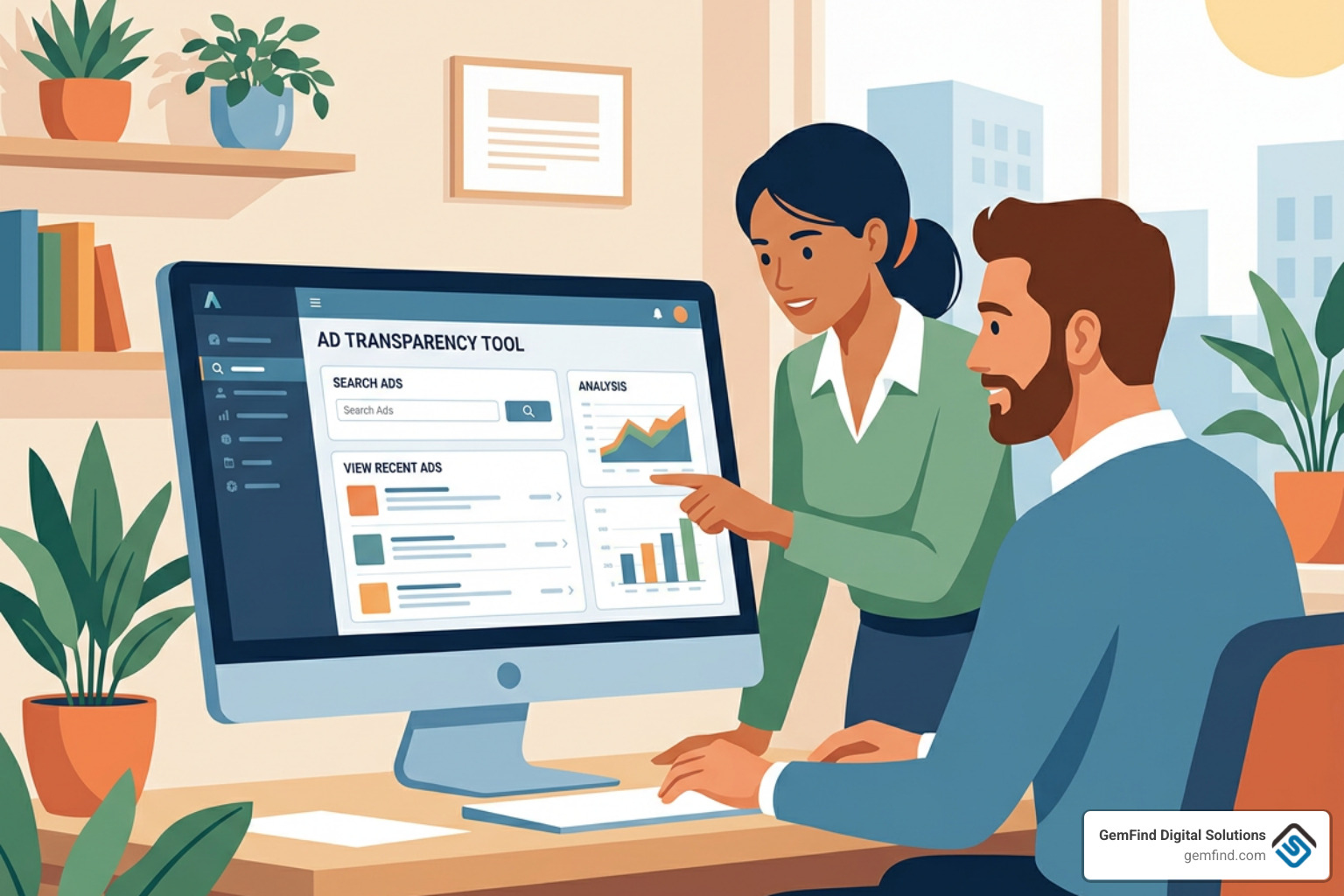
The Facebook Ads Library is a free, public database where you can see every ad currently running on Facebook, Instagram, Messenger, and other Meta platforms — no account required.
Here's what you can do with it right now:
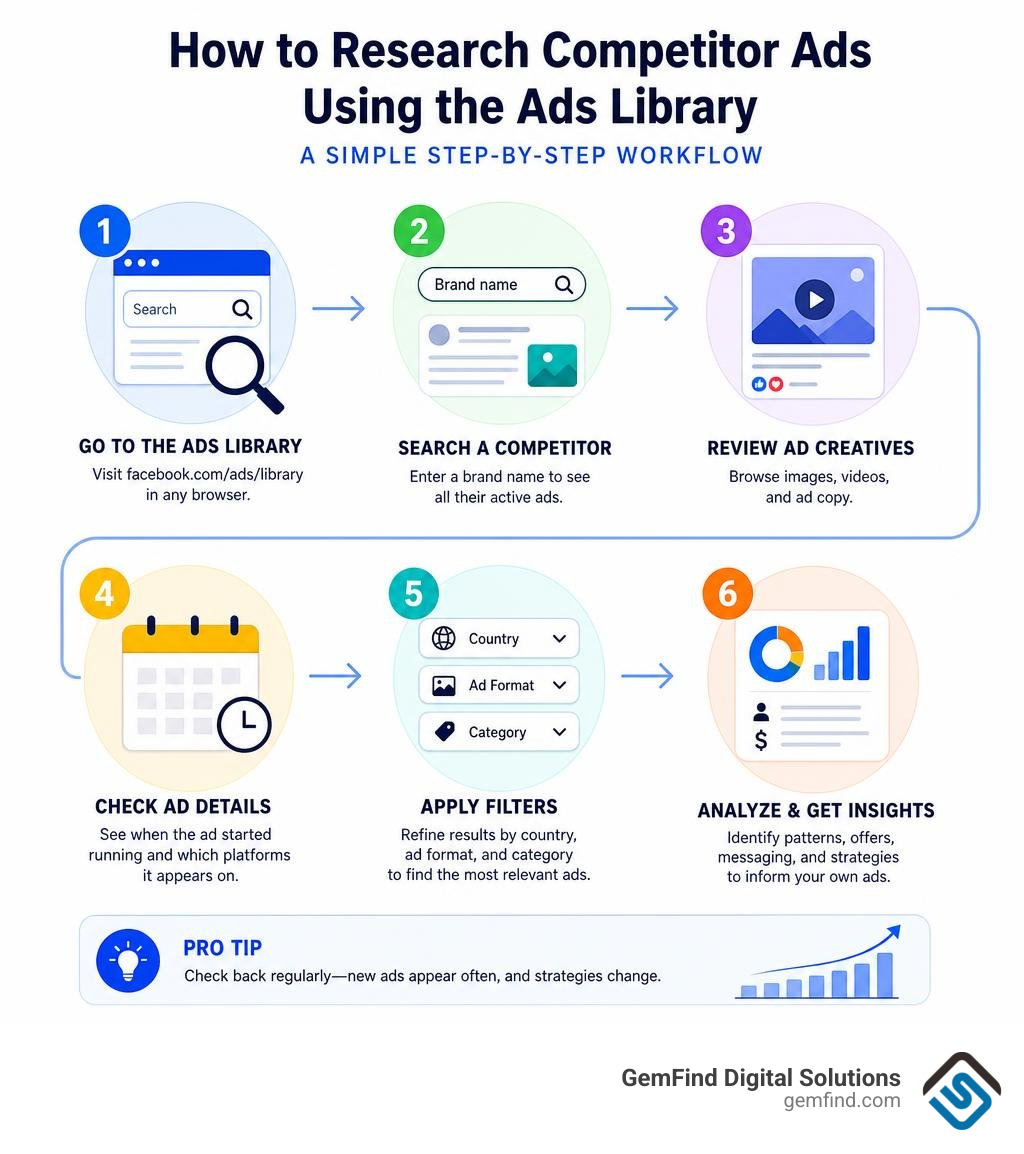
- Search any brand name to see all their active ads
- View ad creatives — images, videos, and copy
- Check when an ad started running and which platforms it appears on
- Filter by country, ad format, and category
- Access political and social issue ads going back years, including spend and targeting data
Quick answer: Go to facebook.com/ads/library, type a competitor's name, and you'll instantly see every ad they're running today.
If you own a jewelry store, you already know how hard it is to stand out online. Customers have more choices than ever, and your competitors are spending real money on Meta ads every single day. What if you could see exactly what they're running — their offers, their creative style, their messaging — before deciding how to spend a single dollar of your own budget?
That's precisely what the Facebook Ads Library makes possible. It launched in 2019 as part of Meta's push for advertising transparency, and by June 2026 it has grown into one of the most powerful (and most overlooked) free tools available to any marketer or business owner.
You don't need a developer. You don't need a paid subscription. You just need to know how to use it.
I'm Anthony Arechiga, Vice President of Sales at GemFind Digital Solutions, where I've spent nearly two decades helping jewelry retailers grow their businesses through digital marketing — including building and analyzing Facebook Ads Library research into our clients' competitive strategies. In the guide below, I'll walk you through everything you need to know to turn this free tool into a real advantage for your store.
What is the Facebook Ads Library and How Does It Work?
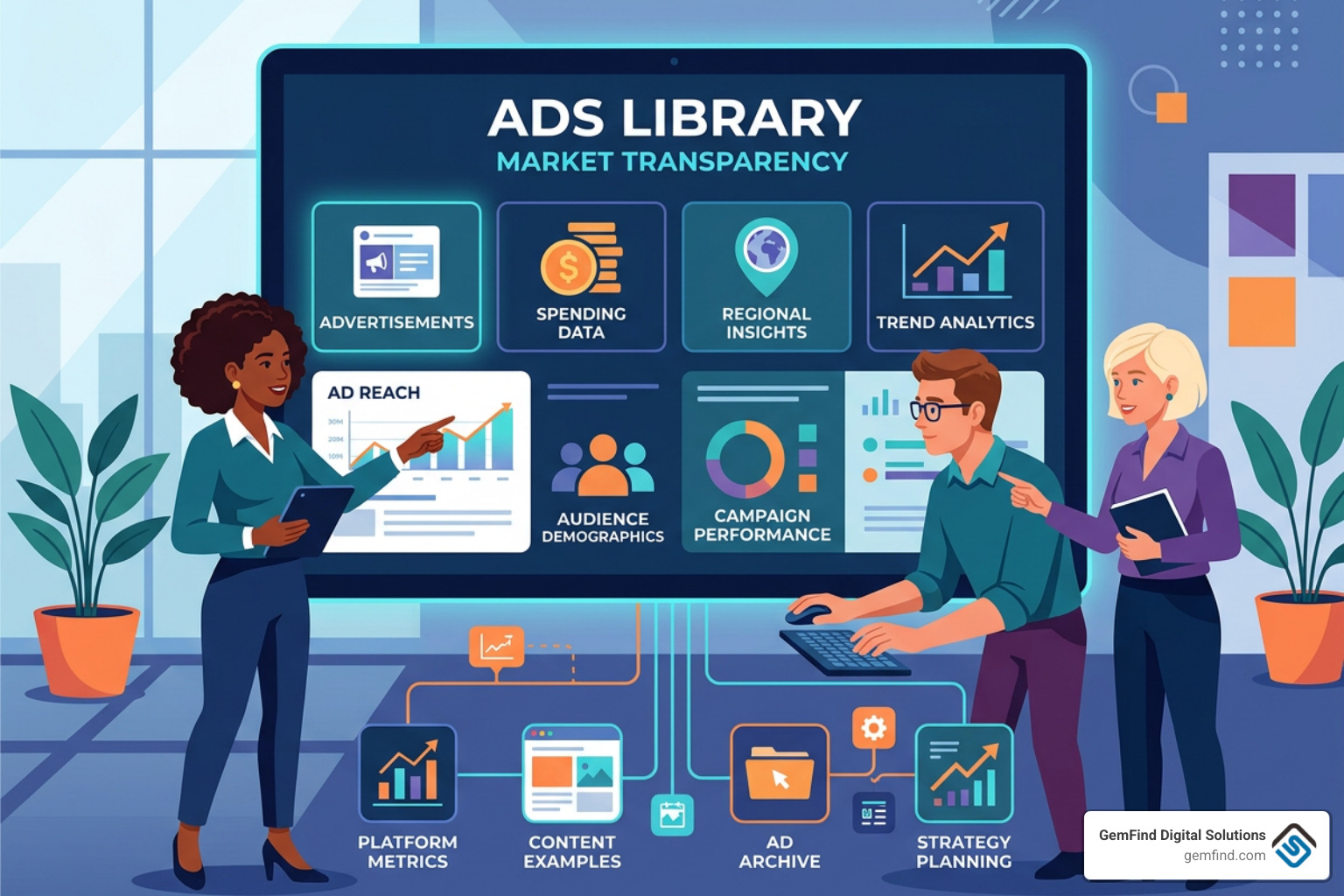
At its core, the facebook ads library is Meta's comprehensive hub for ads transparency. Originally built to combat election interference and bring accountability to digital advertising, it has evolved into a goldmine for commercial research.
Every single ad currently active across Meta’s network—including Facebook, Instagram, Messenger, Audience Network, Threads (integrated in April 2025), and WhatsApp (integrated in December 2025)—is indexed here. For standard commercial ads, the library displays them as long as they are active. Once an advertiser pauses or turns off a commercial ad, it disappears from the standard public search interface.
However, depending on where the ads are shown and what they are about, Meta provides vastly different levels of access. The table below outlines how standard global ad data compares to the highly detailed archives required for European Union (EU) deliveries and political campaigns.
| Feature / Data Point | Standard Global Ads | EU-Delivered Ads (DSA) | Political / Social Issue Ads |
|---|---|---|---|
| Active Ads | Visible | Visible | Visible |
| Inactive Ads Archive | Not visible after pause | Archived for 1 year | Archived for 7 years |
| Impression Data | Broad range buckets | Exact or tight ranges | Detailed ranges |
| Targeting Parameters | Hidden | Demographic splits shown | Demographics & locations shown |
| Total Spend & Budget | Hidden | Spend brackets shown | Exact spend & funding entities |
Accessing and Searching the Facebook Ads Library
Getting started is incredibly simple. To search like a pro, follow these steps:
- Navigate to the official website.
- Select your target country from the dropdown menu. If you want to see a brand's global footprint, select "All."
- Under the "Ad category" dropdown, choose "All ads." (Unless you are specifically researching housing, employment, credit, or politics, this is the option you want).
- Type your competitor's business name or a specific keyword in the search bar.
To see these steps in action, watch this video tutorial on How to Use the Facebook Ads Library for Your Business.
Understanding Visible vs. Hidden Data
While the facebook ads library is exceptionally generous, Meta has to balance consumer transparency with advertiser privacy. Knowing what you can and cannot see is crucial for setting realistic expectations.
We can easily see these key elements for any active ad:
- Active Status and Start Date: Exactly when the ad started running.
- Platforms: Icons showing where the ad is appearing (Facebook, Instagram, etc.).
- Creative Assets: The exact images, videos, and headlines being used.
- Copywriting: The primary text, descriptions, and call-to-action (CTA) buttons.
- Impression Buckets: Broad indicators of how many people have seen the ad.
However, Meta hides the back-end mechanics. For standard commercial ads, you cannot see:
- Targeting Settings: You won't see their custom audiences, lookalike settings, or specific interest groups.
- Ad Spend & Cost Metrics: The exact budget, CPM (cost per thousand impressions), CPC (cost per click), or CTR (click-through rate) remain completely private.
- Performance ROI: ROAS (return on ad spend) and conversion rates are hidden.
For researchers wanting to dig deeper into official developer tools, Meta maintains a dedicated hub at the Meta Ad Library tools | Transparency Center.
Leveraging EU Transparency and Political Ad Archives
If you want to unlock a hidden goldmine of competitive intelligence, here is a professional secret: use the EU regional filters.
Under the European Union’s Digital Services Act (DSA), Meta is legally required to disclose much more data for ads delivered to EU member states. If your competitor runs ads in countries like France, Germany, or Ireland, filtering your search to those regions allows you to view an archive of their inactive ads for up to one year after their last impression. Even better, you can view demographic splits (age and gender distribution) and the specific targeting parameters used to deliver those ads.
Similarly, ads classified under "Issues, Elections or Politics" are stored in a public archive for 7 years. This dataset covers more than 120 countries since August 2020. It displays exactly who funded the ad, how much was spent, and localized geographic delivery data.
Impression Weight vs. Ad Longevity in 2026
For years, the golden rule of ad spying was: "If an ad has been running for six months, it must be highly profitable."
In 2026, that rule is officially dead.
With the rise of modern cost-cap and bid-cap buying strategies, media buyers often leave dozens of older ad creatives sitting active in their accounts. The Meta auction algorithm simply starves low-performing ads of impressions while funneling the majority of the budget into a few high-performing variations. An ad could be "active" for months without actually spending more than a few dollars.
Instead of looking solely at longevity, you should focus on:
- Impression Weight: Look for the "Low Impression Count" badge (given to ads with fewer than 100 impressions). If an ad doesn't have this badge and has been live for a few weeks, it is actively receiving delivery.
- Multi-Use Creative (Replication): If you see a competitor running five or ten near-identical versions of the same video or image with tiny variations in the headline or primary text, you have found a winning angle. They are volume testing a proven concept.
Competitive Analysis and Creative Research Workflows
Simply scrolling through the facebook ads library can quickly become an unproductive time-sink. To get real business value out of it, you need a structured workflow. We recommend building a digital "swipe file" where you categorize competitor creatives by hook, offer, and format (such as user-generated content, high-production studio video, or clean product catalog photography).
How to Reverse-Engineer Competitor Funnels
When you find an active ad that is receiving significant impression weight, don't just look at the image. Follow the trail:
- Click the Call-to-Action: Where does it lead? Is it a direct product page, a collection page, or a specialized landing page?
- Analyze the Lead Magnet or Offer: Are they offering a free guide, a discount code, a quiz, or a bundle?
- Study their Retargeting Strategy: Once you click their ad and visit their site, go back to the library a few days later to see if they serve you different, highly specific retargeting ads.
Understanding why they serve these follow-up ads is key to building your own funnel. You can learn more about how this works by reading our guide on Why Remarketing Ads on Facebook Work.
To build a sustainable pipeline of new customers, you must also understand how to nurture those users. Check out our resources on How to Sell Jewelry to a Facebook User and learn how to scale your reach with our tutorial on How to Set Up Look-Alike Audiences on Facebook for Your Jewelry Store.
Industry-Specific Strategies for E-commerce and Jewelry Brands
For jewelry stores and high-ticket luxury retailers, visual storytelling is everything. When analyzing your competitors in the facebook ads library, pay close attention to how they handle the balance between luxury branding and direct-response performance.
Here are the key creative formats to look for:
- The "Unboxing" Video: Simple, authentic user-generated content (UGC) showing a customer opening a beautifully packaged ring or necklace.
- The Lifestyle Carousel: Multiple high-resolution images showing jewelry styled on real people in daily life, rather than just isolated on a white background.
- The Education Angle: Videos explaining the "4 Cs" of diamonds, or showcasing the craftsmanship behind custom-designed pieces.
To master these approaches, explore our comprehensive Facebook Ads Jewelry Complete Guide and discover practical campaign tips in A Jeweler's Guide to Running Successful Facebook Ad Campaigns.
Additionally, make sure you are avoiding common pitfalls by reviewing Things to Consider When Advertising on Facebook and Instagram for Your Jewelry Store. For a deeper dive into targeting strategies, read our guides on Effective Strategies to Target Jewelry Buyers on Facebook, How to Target Jewelry Buyers on Facebook, and How to Target Jewelry Shoppers on Facebook. Finally, keep your campaigns organized with A Guide to Organizing Facebook Ads for Jewelry Stores.
Scaling with the Ad Library API and Developer Tools
For agencies, enterprise brands, and technical marketers, manual searching is too slow. That is where programmatic access becomes incredibly valuable.
Programmatic Research with the Facebook Ads Library API
Meta provides an official Graph API endpoint called ads_archive that allows authorized developers to query historical and active ad data. To use this API, you must complete identity verification with a government-issued ID and obtain a developer access token with the ads_archive permission.
While the API is powerful, it does have strict rate limits and technical quirks. For instance, the API returns a temporary ad_snapshot_url (which opens the ad in Meta's web viewer) rather than direct raw video or image files. To make developer integration easier, Meta maintains the official facebookresearch/Ad-Library-API-Script-Repository, which includes pre-built scripts like python/fbadslibrary_api.py to handle pagination, error handling, and basic data extraction. The repository is highly regarded in the developer community, holding 319 stars and 119 forks.
For advanced competitive intelligence workflows, developers can use community-built tools like the Model Context Protocol (MCP) server found at jacopocappelli1989/facebook-library-ads-mcp. This specialized repository provides 17 tools for ad research, competitor spying, and automated landing page classification. It uses a local SQLite cache to store fetched ads, allowing you to run advanced client-side filtering (like sorting by text length, specific keywords, or active duration) without hitting Meta's API rate limits.
Enhancing the Native Experience with Browser Extensions
If you don't have developer resources, you can still supercharge your manual workflow using browser extensions and third-party commercial platforms.
Here are some of the most popular tools used by marketers:
- Ad Library Insights for Facebook™: A popular Chrome extension with over 3,000 users and a 4.5/5 rating. It overlays helpful metadata directly onto the native Ad Library cards, showing active days, landing page domains, and quick filters for ad duration. It also includes an "Only Shopify" filter to quickly isolate e-commerce competitors.
- Commercial Ad Intelligence Platforms: Tools like Ad library Search & save ads from any social media (Meta & Co) act as massive search engines. They index over 1 billion advertisements across Meta, Google, TikTok, and YouTube—including 50M+ Meta ads and 200M+ Google ads—allowing you to search across multiple networks from a single search bar and save ads into organized permanent folders.
Frequently Asked Questions
How long are ads stored in the Meta archive?
Active commercial ads are visible for as long as they are running. Standard commercial ads are removed from the public search once they are paused. However, ads shown in the EU are archived for one year after their last impression, and political, electoral, or social issue ads are stored in the archive for 7 years.
Why can't I see targeting details for standard commercial ads?
To protect advertiser privacy and maintain a fair competitive environment, Meta keeps targeting parameters (like custom audiences or specific interest groups) hidden for standard commercial campaigns. The only exception is for ads delivered in the EU, where demographic and targeting data must be disclosed under the Digital Services Act.
How do I download videos or images from the library?
The native facebook ads library does not provide a "Download" button. To save creatives for your swipe files, you can use browser extensions like Ad Library Insights for Facebook™, or use your browser's "Inspect Element" tool to locate the source URL of the video or image and save it directly.
Conclusion
The facebook ads library is the ultimate equalizer in digital advertising. It gives small, local jewelry stores the exact same access to creative intelligence as multi-million dollar global brands. By studying what is already working in the market, you can save thousands of dollars in wasted testing budget and launch campaigns that connect with your audience from day one.
At GemFind Digital Solutions, we have spent over 25 years helping jewelry retailers, designers, and manufacturers navigate the digital landscape. As a certified Shopify and Google Partner, we combine deep, industry-specific expertise with cutting-edge marketing strategies to grow your business.
Ready to turn these insights into a high-performing campaign? Let our team handle your strategy. Explore our GemFind Meta Ads Management Services and let's start growing your store today.


