


Why Custom Jewelry Try On Is Changing How People Shop for Jewelry

Custom jewelry try on technology lets shoppers see exactly how a ring, necklace, or bracelet looks on them — before buying a single thing.
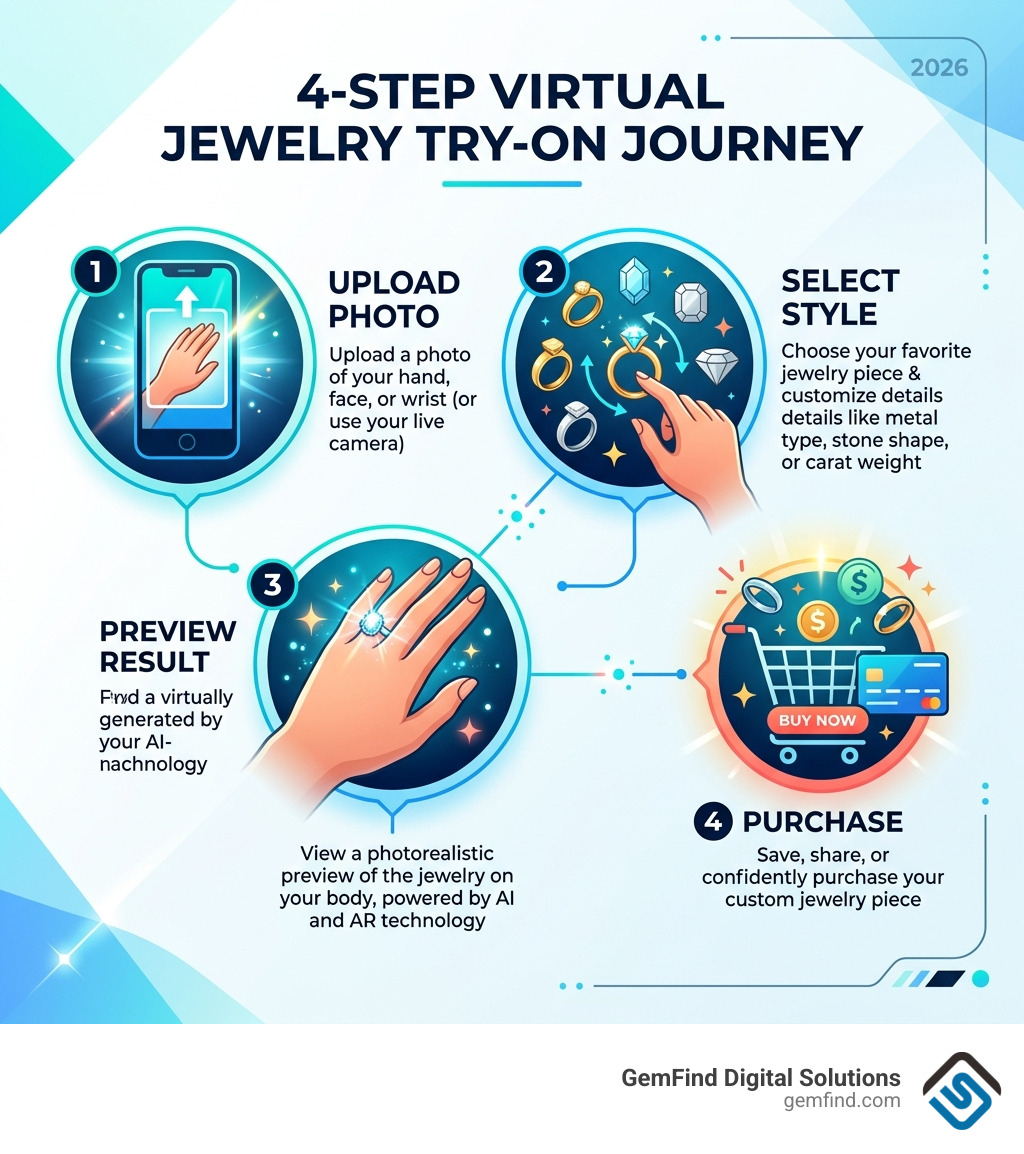
Here's how it works in four simple steps:
- Upload a photo of your hand, face, or wrist (or use your live camera)
- Select the jewelry piece and customize details like metal type, stone shape, or carat weight
- Preview a realistic, AI-generated image of the jewelry on your body
- Save, share, or buy — or keep experimenting with other styles
Online jewelry shopping has always had one big problem: you can't try it on. That hesitation costs jewelry retailers real sales every day. Shoppers browse, get unsure about how something will look or fit, and leave without buying.
Virtual try-on tools solve that problem directly. They use AI and augmented reality (AR) to place photorealistic jewelry onto a photo or live video of the shopper — complete with accurate light reflections, metal sheen, and gemstone sparkle.
The results are measurable. Retailers using virtual try-on have seen conversion rates climb by as much as 30% and product returns drop by up to 50%.
This is especially powerful for custom pieces — like engagement rings — where the stakes are high and the buyer needs to feel confident before committing.
I'm Anthony Arechiga, Vice President of Sales at GemFind Digital Solutions, and I've spent nearly two decades helping jewelry retailers navigate the digital tools that drive real growth — including the rise of custom jewelry try on technology. In this guide, I'll walk you through everything you need to know to put these tools to work for your store.
The Technology Behind AI-Powered Jewelry Visualization
When we talk about custom jewelry try on, we aren't just talking about a static image "pasted" over a photo. The modern tech stack is incredibly sophisticated, blending Artificial Intelligence (AI) with Augmented Reality (AR) to create an experience that is often indistinguishable from a professional photoshoot.
Markerless AR and Real-Time Tracking
In the early days of AR, you needed a "marker" (like a printed QR code on your finger) for the software to know where to place a ring. Today, we use markerless AR. This technology uses advanced computer vision to identify facial features, hand anatomy, and wrist positions instantly. Whether a user is moving their hand in front of a webcam or uploading a selfie, the software tracks the specific "anchor points" to ensure the jewelry sits naturally on the skin.
Physically Based Rendering (PBR)
To make a digital diamond look like a real one, we use Physically Based Rendering. This mimics how light actually behaves in the real world. It calculates how light hits the facets of a gemstone (the sparkle) and how it reflects off polished gold or platinum (the sheen). This "material-aware" rendering ensures that a rose gold band looks warm and metallic, rather than like a flat pink circle.
AI-Generated Models and 3D Modeling
For retailers, one of the biggest hurdles used to be the cost of photography. Now, AI-generated models allow brands to showcase their entire inventory on diverse skin tones and hand shapes without ever hiring a human model. By using 3D modeling files (like CAD files used in manufacturing), the software can generate a 360-degree view of the piece. If you want to how to make your jewelry website more interactive, integrating these 3D assets into a try-on tool is the gold standard.
Why Retailers and Shoppers Love Custom Jewelry Try On Technology
The shift toward virtual fitting isn't just a "cool feature"—it's a fundamental change in e-commerce psychology. We’ve seen that when customers can visualize a product on themselves, their emotional connection to the piece skyrockets.
Boosting Conversion and Reducing Returns
The statistics speak for themselves. Implementing a high-quality virtual try-on can lead to a 30% increase in conversion rates and a 4X increase in the add-to-cart ratio. Why? Because it eliminates "purchase hesitation." According to data from Shopify, interactions with products having AR content showed a 94% higher conversion rate than products without. When a shopper sees a 2-carat pear-shaped diamond on their actual finger, they no longer have to wonder if it will look too big or too small.
Furthermore, returns are the silent killer of jewelry margins. Virtual try-on has been shown to cut returns by 50%. By providing an accurate visual guide, shoppers are much less likely to be disappointed when the physical box arrives. For a deeper dive into the software side, check out our Slugjewelry Virtual Tryon Software Complete Guide.
Creating an Emotional Connection
Jewelry is rarely a "logical" purchase; it’s an emotional one. This is especially true for custom designs. A Custom Jewelry Design Website that offers a try-on feature allows the customer to become the co-designer. They aren't just buying a ring; they are building their ring. This sense of ownership makes the final "buy" button much easier to click.
How to Use a Custom Jewelry Try On Tool: A Step-by-Step Guide
If you are a shopper (or a retailer explaining this to a client), the process is designed to be frictionless. Most modern tools are web-based, meaning no app download is required.
- Photo Upload or Live Camera: Start by snapping a well-lit photo of your hand or face. For the best free virtual jewelry try on experience, ensure your hand is flat and your fingers are slightly spread.
- Style Selection: Browse the catalog. You can choose from engagement rings, wedding bands, earrings, or necklaces.
- Customization: This is where it gets fun. Use sliders to adjust the carat weight, change the metal type (switching from 14k yellow gold to platinum instantly), or swap the center stone shape.
- Ring Stacking: Many tools now allow you to "stack" an engagement ring with various wedding bands to see how the set looks together.
- Save and Share: Once you’ve found "the one," you can save the image or send it to a partner as a "hint."
For those specifically looking to build a dream ring from scratch, our Engagement Ring Builder App integrates these steps into a seamless shopping journey.
Integrating Custom Jewelry Try On into the Design Process
For custom jewelers, the try-on tool is a bridge between a dream and a finished product. Traditionally, a customer would look at a flat 2D sketch and have to "imagine" the rest. Now, the workflow looks like this:
- CAD to AR: The jeweler creates a 3D CAD file of the custom design.
- Virtual Preview: The customer uses a try-on tool to see that specific CAD design on their hand.
- Refinement: If the customer thinks the setting sits too high, the jeweler can adjust the digital model before a wax model is ever printed.
- Final Approval: This streamlined process reduces the "back-and-forth" and ensures the client is 100% happy before the piece is cast in metal.
Check out our Custom Jewelry Design Software Guide for more on how to manage this workflow.
Maximizing Realism: Features and Image Requirements
Not all virtual try-on experiences are created equal. To achieve that "wow" factor, both the software and the user input need to meet certain standards.
Image Requirements for Best Results
To get a realistic custom jewelry try on, the input image is key. We recommend:
- High Resolution: Images should be at least 1080p and under 10MB.
- Lighting: Avoid harsh shadows or extremely dark rooms. Natural, even light works best to help the AI match the jewelry's reflections to the environment.
- Positioning: For rings, a top-down view of the hand is standard. For earrings, a clear side-profile or front-facing selfie is necessary.
Advanced Features to Look For
- Occlusion Handling: This is the "magic" that allows a ring to look like it’s actually around a finger, with the finger partially hiding the back of the band.
- Skin Tone Adaptation: The AI should automatically adjust the "glow" and reflections of the metal to complement the user's specific skin tone.
- Multi-Angle Viewing: The ability to tilt the hand and see the side profile of a setting is a game-changer for engagement ring shoppers.
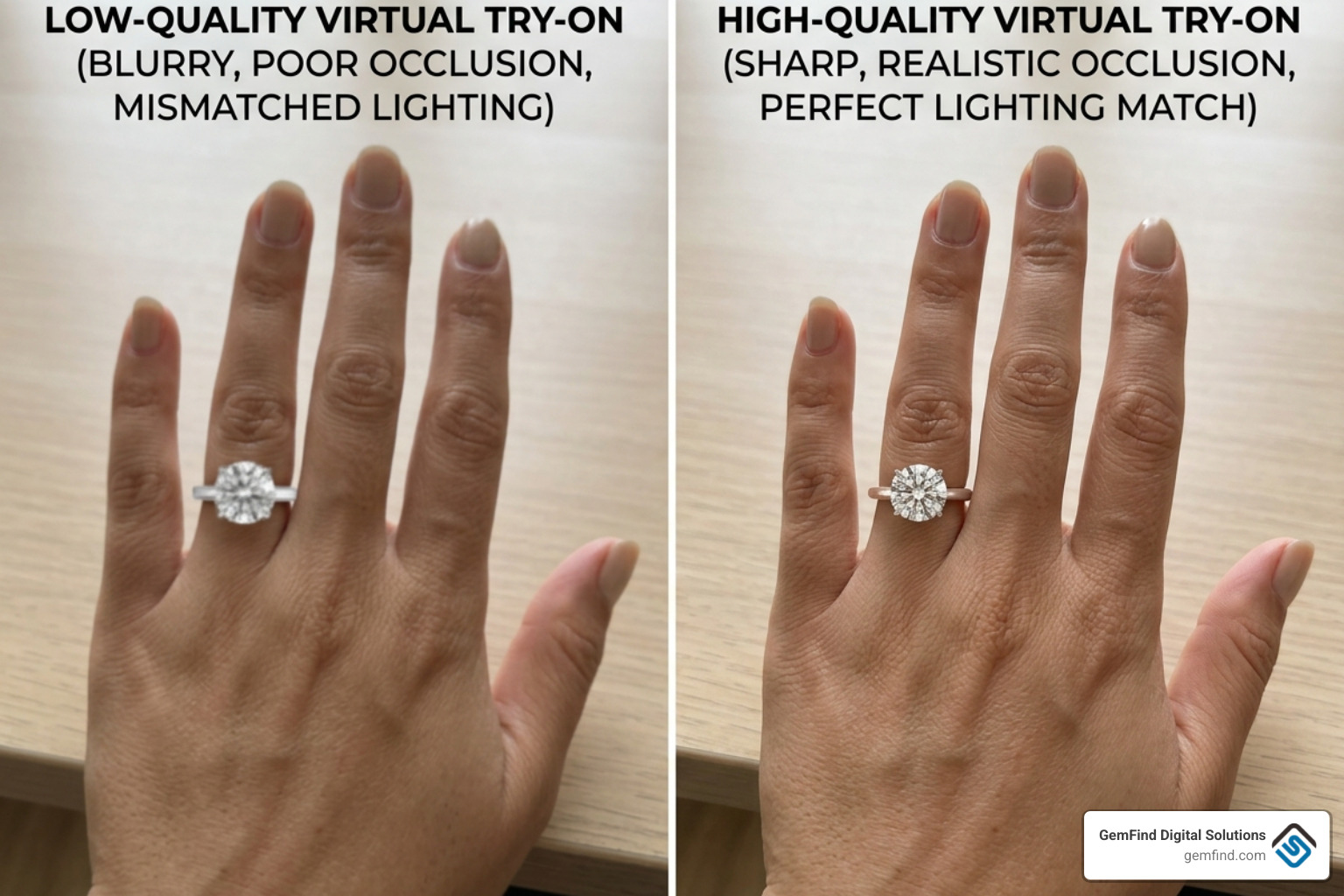
Photo-Based vs. Live-Video Try-On
| Feature | Photo-Based Try-On | Live-Video (AR) Try-On |
|---|---|---|
| Accuracy | High (User can perfectly align) | Moderate (Depends on movement) |
| Realism | Excellent (Better lighting match) | Good (Immersive experience) |
| Convenience | Best for "saving for later" | Best for "instant "wow" factor" |
| Device Support | All browsers/mobile | Requires camera access |
For more tips on how to present your rings effectively, see our Complete Ring Builder App Guide.
Frequently Asked Questions about Virtual Jewelry
Is virtual try-on safe for my privacy?
Yes. Most reputable tools, including those we develop at GemFind, prioritize privacy. Many tools now use local processing, meaning the image of your hand or face is processed directly in your phone's browser and is never actually uploaded or stored on a server. Always check the privacy policy of the specific tool to ensure they use data encryption and do not share your personal photos with third parties.
Can I try on multiple pieces of jewelry at once?
Absolutely. Modern "stacking" technology allows you to layer multiple rings on one finger or try on a "curated ear" with multiple studs and hoops. This is a fantastic way for retailers to increase their average order value by showing how well different pieces complement each other.
How accurate is the sizing in a virtual try-on?
While virtual try-on is an incredible visual guide, it is not a replacement for a physical ring sizer. However, some advanced tools use PD (Pupillary Distance) detection for glasses or "reference objects" (like a standard credit card) to help estimate scale. We always recommend a professional consultation or a physical sizing kit before the final casting of a high-value custom piece.
Conclusion
The future of jewelry retail is personal, digital, and interactive. As we move through 2026 and beyond, custom jewelry try on technology will only become more realistic with the integration of Generative AI, which can suggest custom designs based on a user's style preferences in real-time.
At GemFind Digital Solutions, we’ve spent over 25 years helping jewelers stay ahead of these trends. As a Shopify and Google Partner, we specialize in integrating these complex tools into your existing website—whether you need a custom ring builder, Edge POS integration, or a full-scale AR try-on solution.
If you're ready to reduce your returns and give your customers the confidence to "put a virtual ring on it," we’re here to help. For a comprehensive look at how to get started, don't miss our Slugjewelry Virtual Tryon Software Complete Guide.
Let's make your jewelry website as sparkling and unique as the pieces you create.


