


Manage Your Social Accounts in One Place With Meta Business Suite

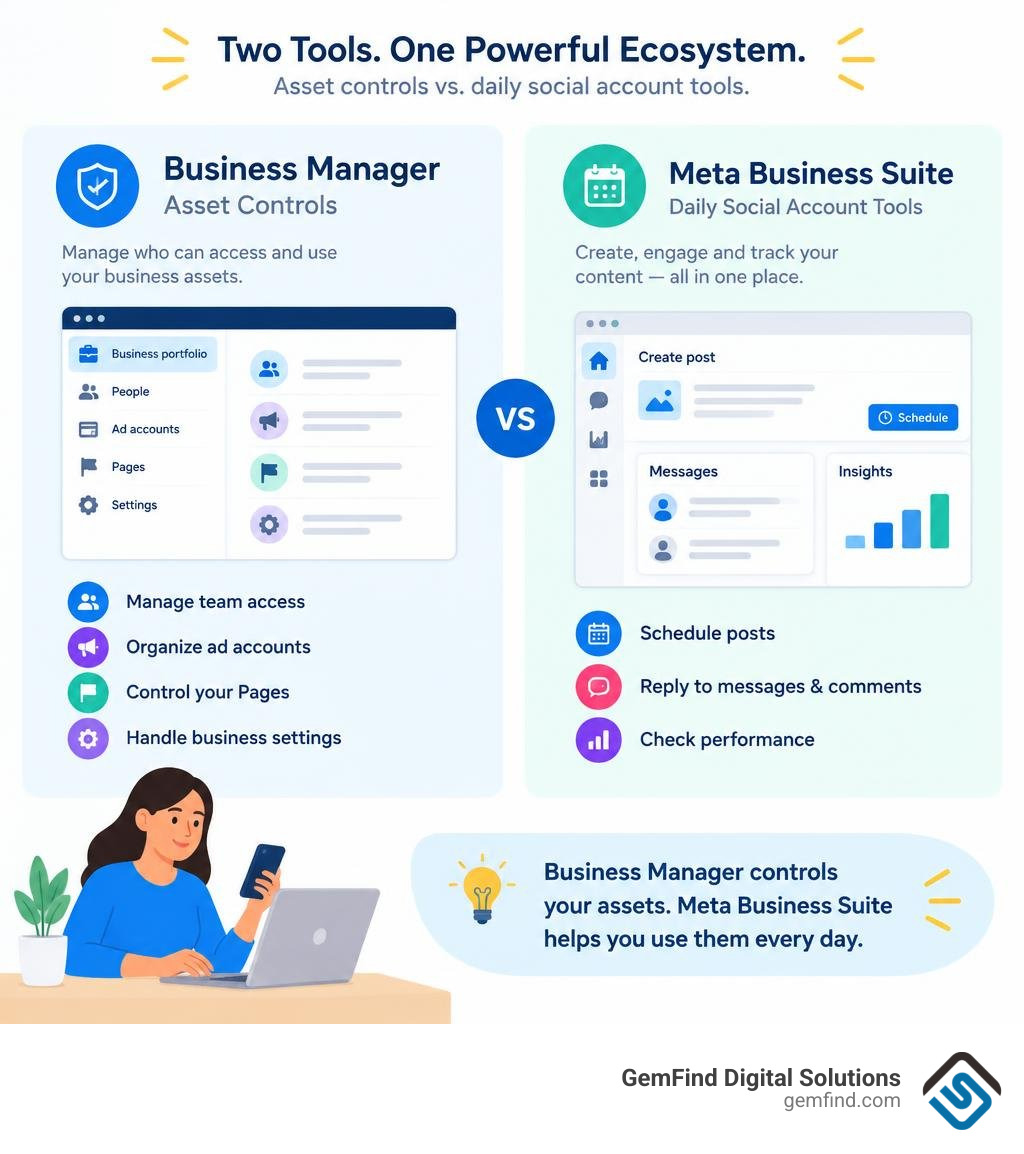
Use Meta Business Suite for daily work: schedule Facebook and Instagram posts, reply to messages and comments, and check how your content performs from one dashboard. If you run a jewelry store, it can help you keep new pieces visible and answer customer questions without switching between apps.
So where does Business Manager fit? It refers to Meta's older business management setup. Today, business portfolios and settings handle the behind-the-scenes work of organizing accounts, ad accounts, and team access. Think of Business Suite as your daily workspace and portfolio settings as the place to control who can use your business assets.
I'm Morgan Price, a backlink outreach specialist who researches digital marketing topics, including meta business suite, and works with content teams to make guides useful. Let's look at which tools your workflow actually needs.
Key terms for meta business suite:
- Meta Business Manager
- Meta Business Ad Manager
- Meta Ads Management
What Is Meta Business Suite and How Does It Work?
Meta Business Suite serves as the primary centralized control center for small-to-medium businesses, creators, and brands managing their presence across Facebook, Instagram, Threads, and WhatsApp. Instead of toggling between multiple native mobile apps or browser tabs, you handle organic social media operations from a unified interface.
According to the official guide on how Meta Business Suite works, the platform bridges consumer-facing interactions and asset administration. It allows teams to publish media, review real-time performance metrics, and answer inquiries without exposing personal social accounts.
Setting Up Your Portfolio in Meta Business Suite
Getting started requires organizing your assets under a business portfolio. A business portfolio represents the overarching container for your digital properties, keeping your personal profile separate from your company operations.
- Navigate to the desktop portal at Meta for Business and log in with your primary Facebook account credentials.
- Click Create a Business Portfolio and input your legal business name and your primary work email address.
- Connect your primary digital assets: your Facebook Page, Instagram professional account, WhatsApp Business number, and existing ad accounts.
- Assign team permissions by inviting members via their business email. Specify their role based on necessity (e.g., Full Control for owners or Partial Access for content creators and copywriters).
That Meta limits each personal user to creating up to two business portfolios directly. However, there is no restriction on how many portfolios you can join as an invited team member or agency partner. To understand how these permissions and asset structures operate under the hood, explore our breakdown of Meta Business Manager.
Unified Inbox and Content Publishing Tools
Managing community interactions across distinct platforms often leads to slow response times and missed sales inquiries. The unified inbox aggregates direct messages, story replies, and post comments across Facebook, Instagram, and connected WhatsApp accounts into a single feed. You can set up automated responses, such as instant greetings and away messages, to ensure clients receive immediate acknowledgments when inquiring about custom jewelry designs or store hours.
For content planning, the platform’s Planner tool provides a centralized calendar view. You can draft, schedule, and publish posts, stories, and reels across Facebook and Instagram simultaneously.
Key publishing features include:
- Active Times Optimization: Identifies specific hours when your followers are most active on each platform to maximize organic reach.
- Custom Platform Formatting: Allows you to upload a single asset while tailoring individual captions, hashtags, and user tags for Facebook and Instagram separately.
- Media Management: Supports bulk uploads and video organization for consistent campaign rollouts.
For boutique retailers and luxury brands balancing in-person sales with digital branding, utilizing specialized social media management for jewelers ensures regular, high-impact content schedules without overwhelming daily store operations.
Meta Business Suite vs. Meta Business Manager: Key Differences
While both tools originate from Meta's business ecosystem, they serve distinct operational functions. Meta Business Manager was built as an administrative hub for enterprises, developers, and media buyers to manage data sources, user access, and ad accounts. Meta Business Suite evolved as an integrated daily workspace designed to streamline organic publishing, inbox management, and simplified advertising.
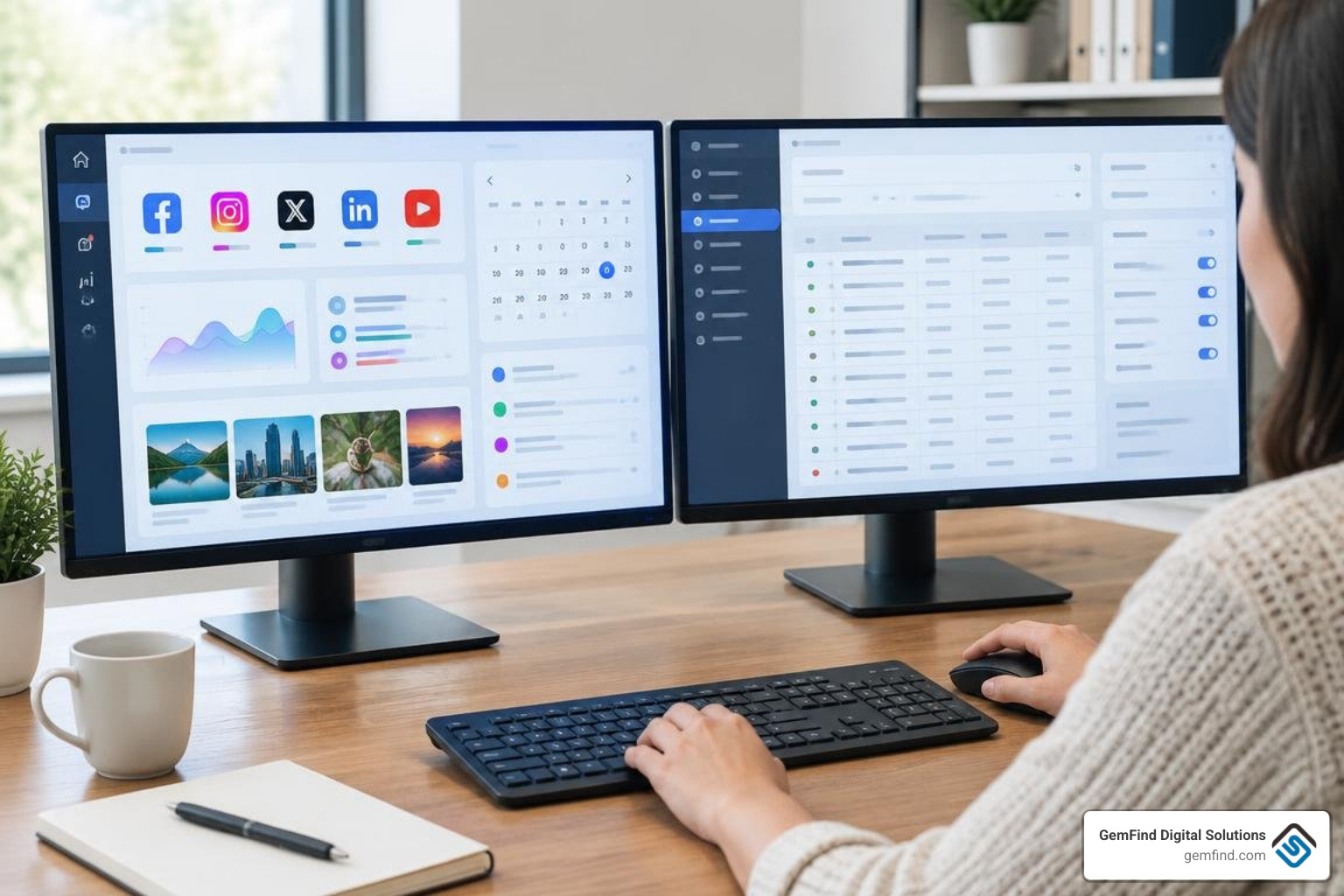
| Feature / Dimension | Meta Business Suite | Meta Business Manager (Portfolio Settings) |
|---|---|---|
| Primary Purpose | Daily organic publishing, engagement, and content planning | Administrative backend governance and security management |
| Supported Platforms | Facebook, Instagram, Threads, WhatsApp | Facebook Pages, Ad Accounts, WhatsApp Accounts, Apps |
| Publishing Tools | Interactive calendar planner, bulk upload, active time insights | None (redirects to Suite or Pages) |
| Inbox & Messaging | Unified cross-platform inbox with automation tools | Not available |
| Ad Creation | Simplified post boosting and basic single-objective ads | Full campaign setup via integrated Ads Manager |
| Technical Assets | Basic pixel overview and catalog shortcuts | Detailed pixel management, domain verification, CAPI setup |
| Target User | Social media managers, local business owners, content creators | Media buyers, marketing directors, developers, security admins |
Transitioning Between Tools
Understanding when to navigate between Business Suite and your backend Business Settings prevents administrative bottlenecks. Daily operational tasks live in Suite, but core technical configurations require switching to portfolio settings.
You must access backend portfolio settings when you need to:
- Verify brand domains to secure your content distribution rights.
- Set up and configure tracking using the Meta Pixel and Conversions API (CAPI).
- Manage product catalogs linked to ecommerce platforms like Shopify for dynamic tagging.
- Inspect competitor transparency by reviewing active campaigns across the Facebook Ads Library.
- Assign partner access to external digital marketing agencies without handing over direct login credentials.
Advertising Capabilities: Meta Business Suite vs. Ads Manager
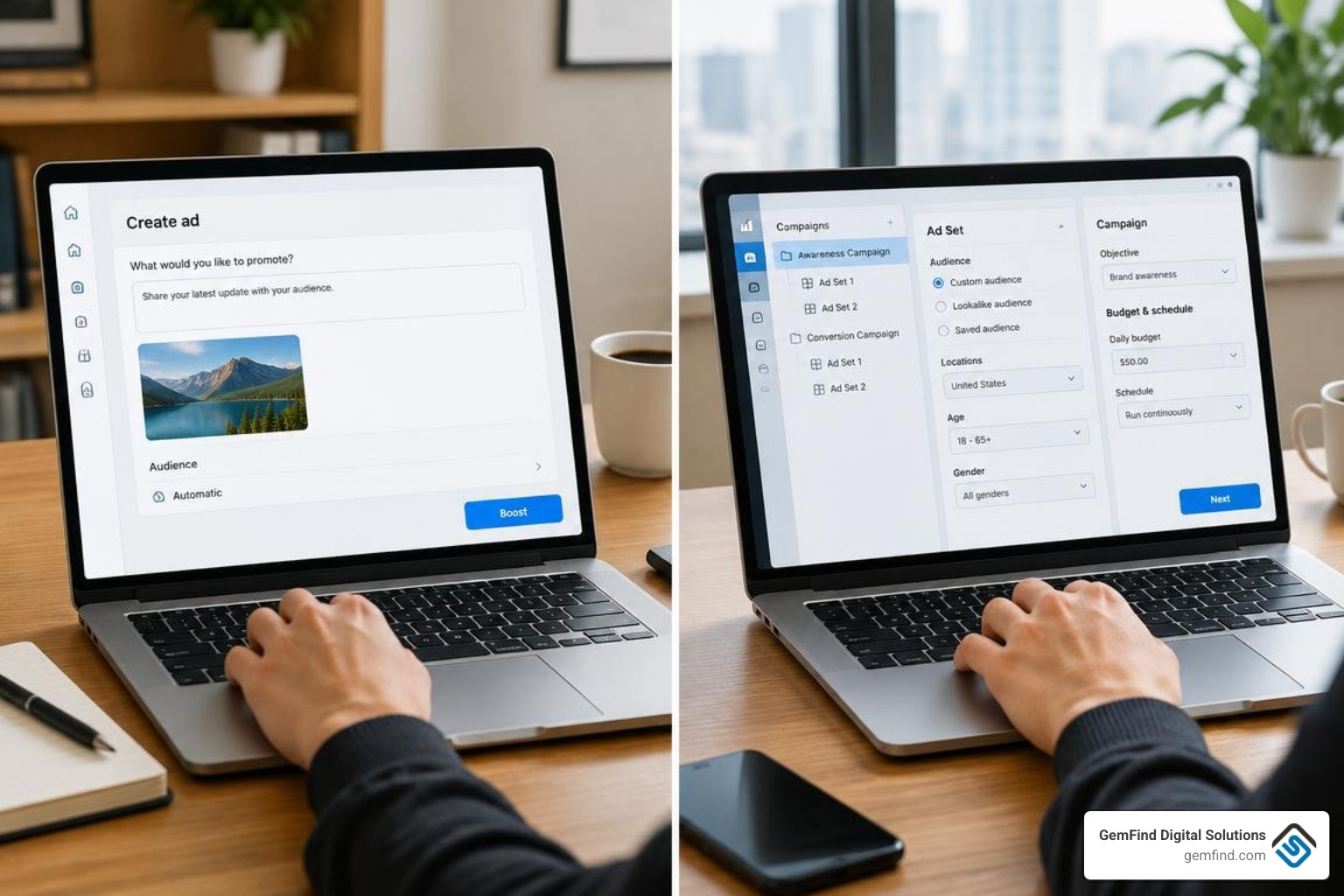
Advertising through Meta Business Suite is designed for speed and simplicity. It allows business owners to boost high-performing organic posts or build straightforward ads targeted at local awareness or direct messaging. However, scaling an ad budget requires understanding the distinction between simple boosts and structured media buying. For an in-depth breakdown, read our Meta Business Suite Ads Manager analysis.
Limitations of Meta Business Suite for Complex Campaigns
While Business Suite makes promoting a post quick, it lacks the infrastructure required for high-return performance marketing:
- Limited Campaign Hierarchy: Business Suite merges campaign, ad set, and creative levels into a single prompt, preventing multi-variant testing.
- Basic Audience Targeting: You cannot easily build sophisticated Custom Audiences from website events or create refined Lookalike Audiences.
- Single Objective Constraints: You are restricted to simple surface-level goals (such as post engagement, page likes, or link clicks) rather than deep conversion optimization.
- No Dynamic Creative Options: You cannot test combinations of headlines, primary texts, and imagery within a single ad delivery structure.
To explore how structured campaigns drive scalable revenue, consult our Meta ads management complete guide.
When to Transition to Dedicated Ad Management
When your marketing moves beyond organic brand awareness and into measurable customer acquisition, dedicated tools become necessary. You should manage campaigns via Ads Manager when you need:
- Full-Funnel Retargeting: Serving sequential video ads to top-of-funnel audiences, followed by catalog ads featuring custom engagement rings to users who viewed specific product pages.
- Advanced Conversion Tracking: Optimizing specifically for offline store visits, high-value purchases, or custom lead form submissions.
- Budget Optimization: Utilizing Advantage Campaign Budget (ACB) and granular bid caps to maximize ad spend efficiency.
For businesses looking to capture high-intent buyers, implementing expert Meta ads management for jewelers ensures that every advertising dollar targets qualified local and national audiences.
Creator Tools, Monetization, and App Experience
Meta Business Suite includes built-in tools tailored for creators and businesses building organic brand equity:
- Inspiration Hub: Surfaces high-performing reels and popular industry content to help teams spot trending audio tracks and formatting styles.
- Collections Feature: Enables brands to group series of episodic videos or product showcases, improving content recommendations across Facebook feeds.
- Rights Manager & Monetization Tabs: Allows eligible creators and rights holders to monitor copyrighted creative assets and manage revenue streams from in-stream ads and subscriptions.
For mobile-first teams, the platform offers dedicated applications. Reviewing the Meta Business Suite mobile app details, the app carries a 4.7 out of 5 rating from over 505,000 ratings on the App Store. It requires iOS 15.1 or later, takes up 354.1 MB of storage, supports 33 languages, and receives frequent maintenance updates (such as version 510.0) to improve stability.
Despite its popularity for on-the-go post scheduling and inbox replies, users frequently note accessibility hurdles with screen readers, as well as the platform-level restriction that prevents businesses from initiating proactive direct messages to users who have not previously contacted the page.
Frequently Asked Questions About Meta Management Tools
Is Meta Business Suite free to use?
Yes, Meta Business Suite is entirely free. All organic tools—including the multi-platform content planner, unified inbox, and performance analytics—cost nothing to use. You only pay when you choose to run paid advertising campaigns or boost organic content, with spend billed directly to your designated ad account.
How many business portfolios can you create?
An individual user can create a maximum of two business portfolios using their personal Meta account. However, there is no limit to the number of existing business portfolios you can join as an invited team member, administrator, or agency partner.
Can you schedule posts for both Facebook and Instagram simultaneously?
Yes. The Planner tool allows you to schedule single-image posts, carousels (up to 10 photos on Instagram), stories, and reels for both Facebook and Instagram at the same time. You can also customize captions, hashtags, and tagged accounts for each individual platform before confirming the scheduled time.
Conclusion
Choosing between Meta Business Suite and backend administrative tools comes down to aligning your workflow with your immediate business goals. Use Meta Business Suite as your primary daily hub to streamline cross-platform publishing, maintain a responsive unified inbox, and monitor audience growth across Facebook, Instagram, Threads, and WhatsApp. When technical configurations, pixel governance, or deep conversion advertising take priority, rely on portfolio business settings and Ads Manager.
At GemFind Digital Solutions, we have spent over 25 years helping luxury retailers, manufacturers, and diamond brands scale their online presence through integrated digital strategies. Whether you need an optimized organic content workflow or high-converting paid acquisition campaigns, explore our comprehensive Meta ads management services to elevate your brand today.


