

Find and Analyze Competitor Ads with the Meta Ad Library

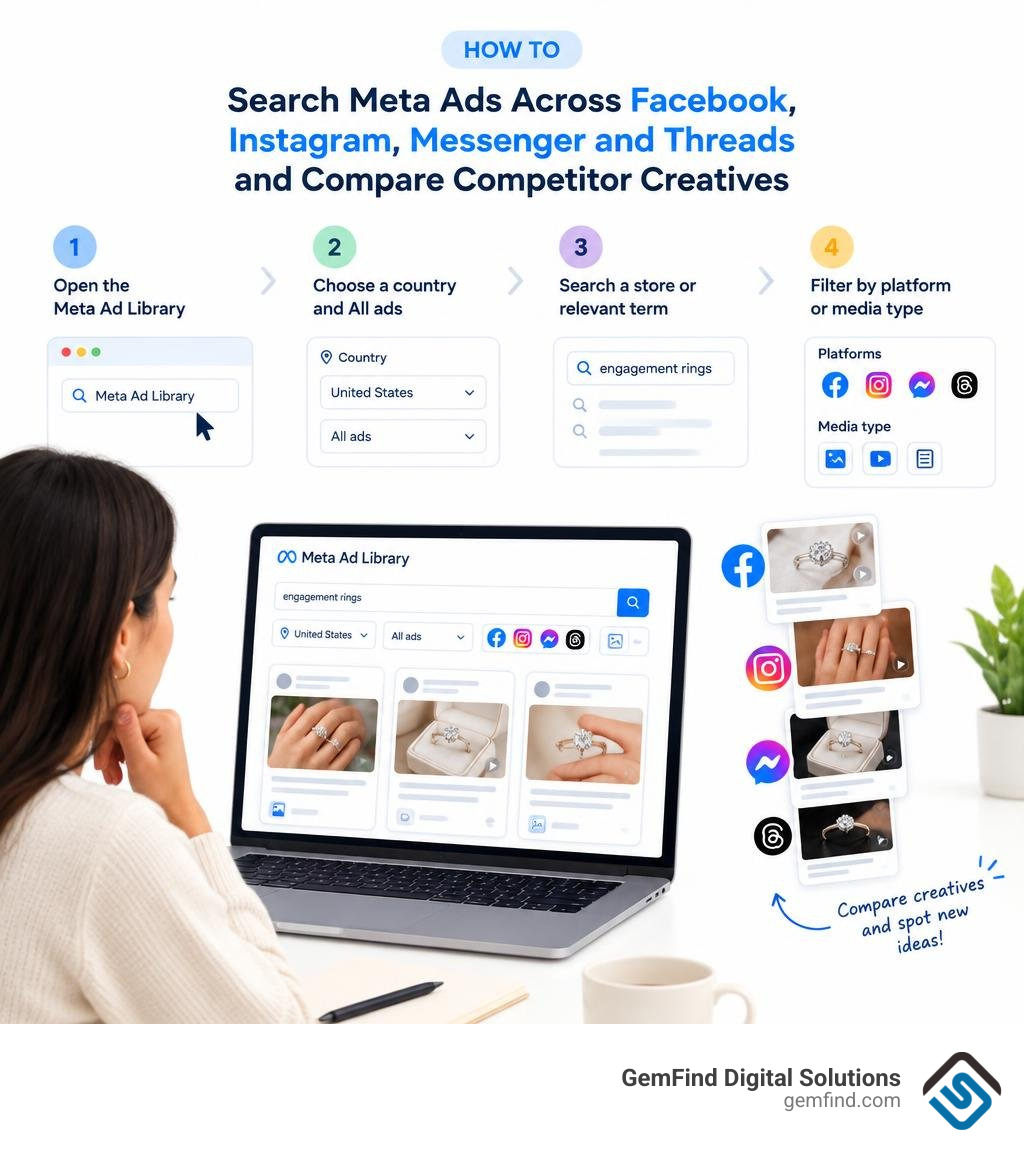
To find facebook library ads from competing jewelry stores, open the Meta Ad Library. Choose a country and All ads, then search a store name or a term such as “engagement rings.” Filter by platform or media type to compare the images, videos, offers, and messages competitors are running.
Look for ideas you can test in your own ads, not proof of what sells. A long-running ad may be worth studying, but the library does not show a competitor’s sales or conversion rate.
I’m Morgan Price, a strategic backlink outreach specialist who uses careful research to help content teams create useful guides. I bring that research-led approach to this guide to facebook library ads.
Facebook library ads definitions:
Paid social advertising has become essential for modern retail growth. In 2026, 78% of small and medium-sized businesses use Instagram and 77% use Facebook for marketing. With the average Facebook Ads cost reaching $18.89 per thousand impressions between September 2025 and September 2026, every marketing dollar counts. To build high-performing campaigns, we must understand how to leverage public ad intelligence tools to outmaneuver the competition.
What Is the Meta Ad Library and How Does It Work?
Originally launched in 2018 as the Facebook Ad Archive to provide political transparency, Meta expanded the tool in 2019 into a complete public database covering all commercial advertising. Following company rebranding, the platform evolved into the Meta Ad Library, indexing live commercial campaigns across Meta's ecosystem: Facebook, Instagram, Messenger, Audience Network, WhatsApp, and Threads.
The platform functions as a searchable search engine for paid media. Anyone can view live campaigns without needing a Meta account. Official Meta Ad Library tools give advertisers direct visibility into live creative assets, copy variations, promotional offers, and destination landing pages across global markets.
Understanding Retention Rules and Regional Transparency Differences
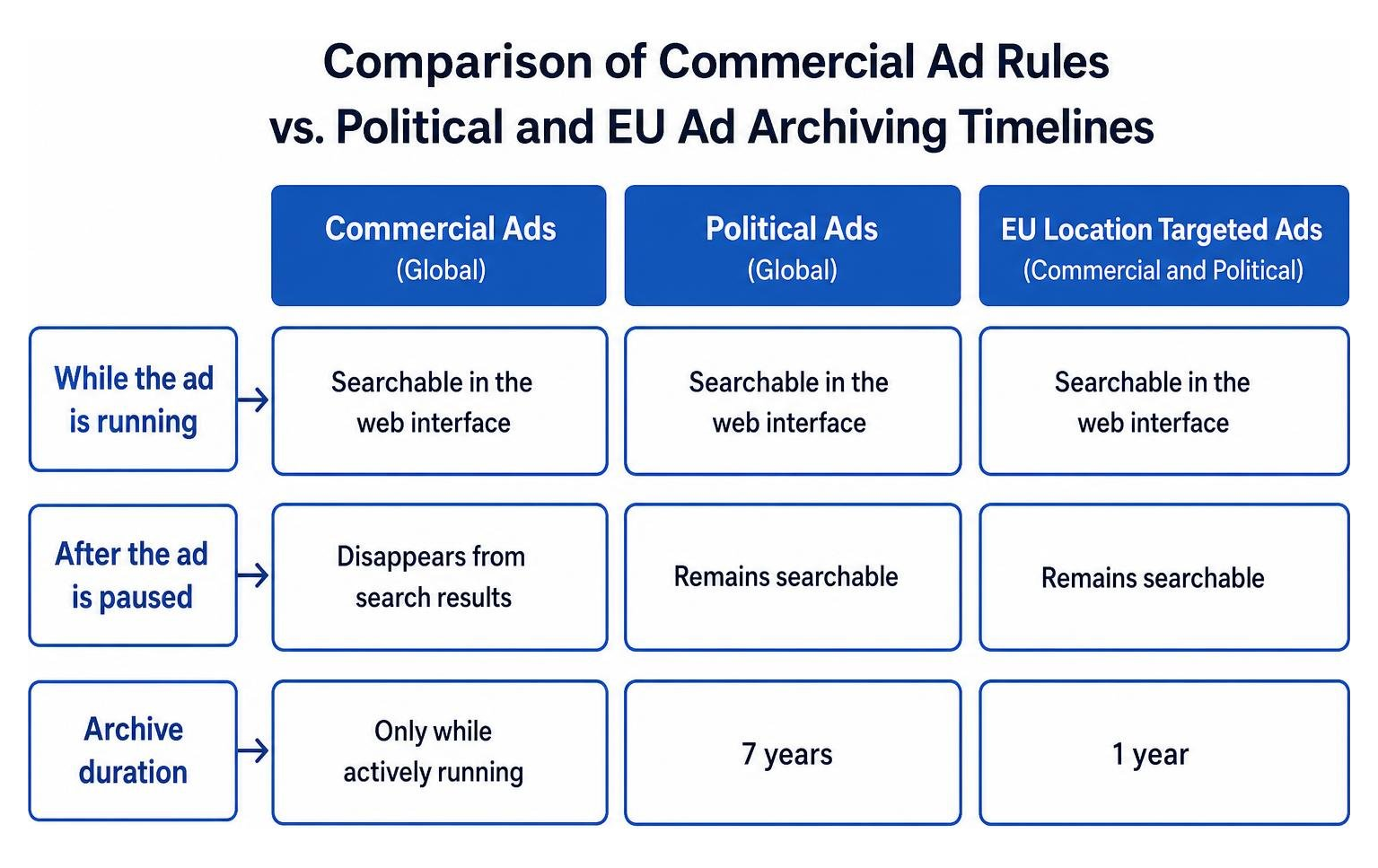
While the tool is open, retention policies vary significantly depending on ad classification and target location:
- Commercial Ads (Global): Standard commercial ads remain searchable in the web interface only while actively running. Once an advertiser pauses a commercial campaign outside regulated zones, it disappears from the search results.
- European Union Ads: Under Digital Services Act requirements, ads delivering impressions in the EU or associated territories remain visible while active and are archived for one full year after their final impression. These records show the legal entity that paid for the campaign and geographic reach estimates.
- Political and Issue Ads: Ads covering elections, politics, or social issues remain preserved in the archive for seven full years, complete with spend ranges, impression tiers, and audience demographic breakdowns.
- Branded Content: The database provides a dedicated search tab for active public branded content with paid partnership labels across Facebook and Instagram.
How to Search and Filter Facebook Library Ads for Competitive Intelligence
Finding valuable competitive intelligence requires navigating the search interface methodically. Marketers can reference our Facebook Ad Library Search Guide 2026 or explore practical video walkthroughs on How to Use the Facebook Ads Library for Your Business.
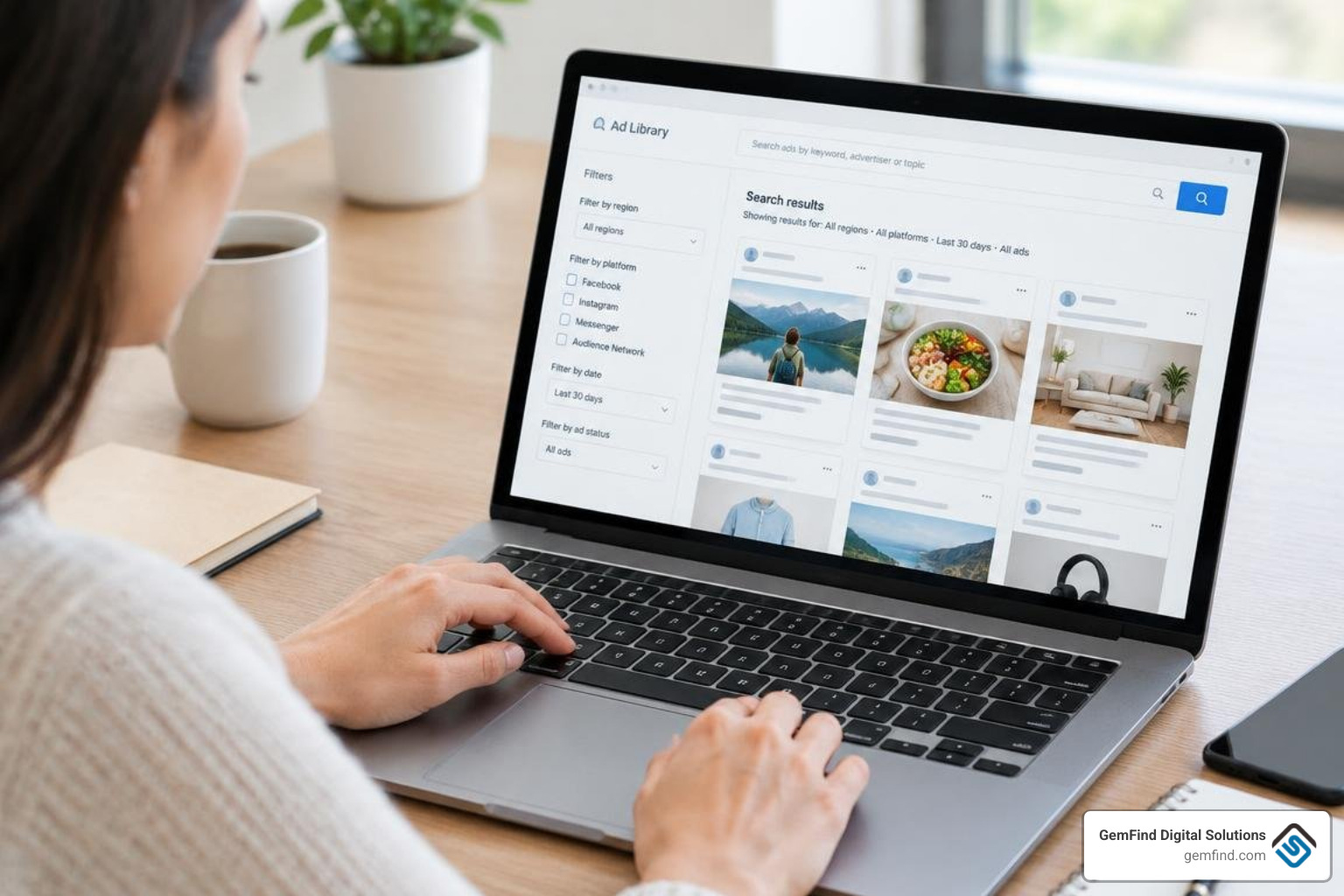
To begin a targeted search:
- Select your target country from the dropdown menu to isolate geographic campaigns.
- Select All ads under the ad category dropdown.
- Input the exact brand name or target keyword into the search bar.
- Filter results by platform (Facebook, Instagram, Messenger, Audience Network), media type (Images, Memes, Videos, No Image or Video), language, and impression date range.
Searching Facebook Library Ads by Keyword, Brand, and Media Type
Using keyword searches helps uncover broader industry trends, while searching by brand page yields a competitor's complete campaign catalog. When structuring your campaigns in Meta Ads Manager, knowing whether competitors prioritize short-form video hooks or static carousels helps you position your creative assets distinctively.
Search queries scan ad body text, headlines, image text, video audio transcripts, and call-to-action button labels. When researching brand terms, using exact brand names prevents generic keyword clutter and isolates direct competitors.
Reverse-Engineering Competitor Funnels and Messaging Angles
Beyond reviewing visual creatives, the library allows us to analyze competitor conversion funnels. Clicking See ad details reveals destination URLs, allowing marketers to examine landing pages, promotional offers, and tracking structures.
Reviewing competitor campaign structures provides insights when developing a Meta ads management strategy. Analyzing the UTM parameters inside landing page links reveals campaign objectives, target audience naming conventions, and promotional seasonal tags.
You can extract ad copy and customer comments to identify recurring objections:
- Are competitors failing to mention shipping timelines or warranty coverage?
- Do their headlines focus on price discounts rather than craftsmanship?
- Are they neglecting specific placements like Instagram Reels or Threads?
Identifying these gaps enables you to craft messaging angles that answer unaddressed consumer concerns.
Proven Strategies to Identify Winning Ads and High-Converting Creatives
Top-performing advertisers test dozens of creative concepts to find a handful of winning variations. By following principles from A Jeweler's Guide to Running Successful Facebook Ad Campaigns alongside general eCommerce benchmarks detailed in Shopify's ad library guide, we can systematically separate short-lived tests from profitable, evergreen campaigns.
Evaluating Ad Longevity as a Metric for Commercial Success
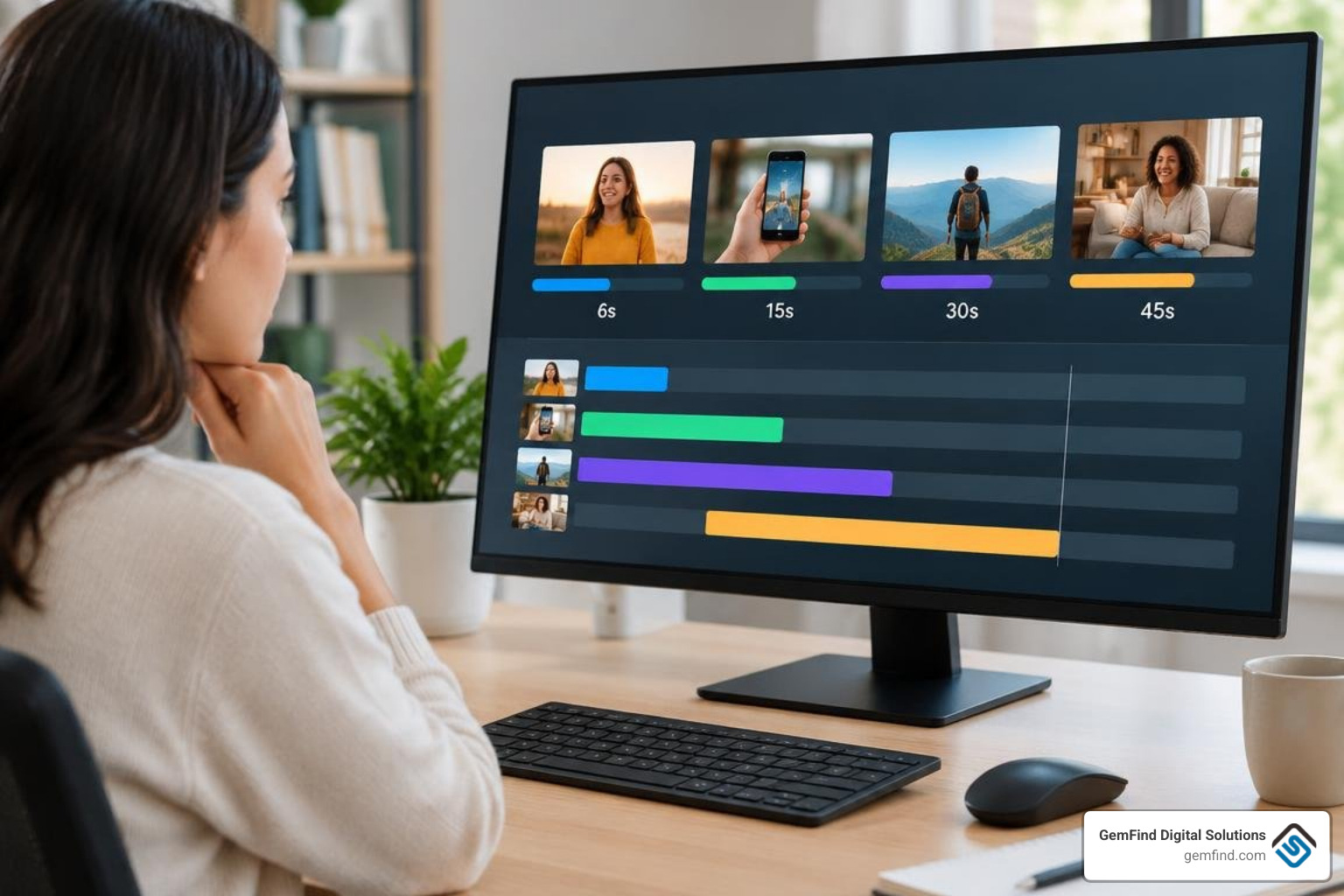
Because Meta does not share private conversion rates or exact commercial ad spend for standard retail campaigns, ad runtime duration serves as our primary proxy metric for performance.
Digital advertisers rarely spend budget on losing ads for extended periods. When evaluating competitor creatives, keep these duration tiers in mind:
- 1 to 7 Days: Initial creative testing phase. The advertiser is testing copy angles, hooks, or audience segments.
- 8 to 29 Days: Moderate traction. The creative passed initial benchmarks and is receiving scaled budget.
- 30+ Days (Evergreen Winners): High-performing winning creative. Ads running continuously for months indicate consistent return on ad spend and stable customer acquisition.
Evaluating ad longevity helps retailers master key considerations when advertising on Facebook and Instagram. When a competitor runs several iterations of an ad with identical video hooks but altered headline copy, they are scaling a proven concept.
Finding Creative Inspiration and Untapped Market Gaps
Reviewing competitor campaigns helps you develop effective strategies to target jewelry buyers on Facebook. Build an internal swipe file of compelling hooks, visual layouts, and promotional angles from leading luxury brands and adjacent retail sectors.
When auditing visual creative patterns:
- Analyze the first 3 seconds: What hook stops the user from scrolling? Is it a product macro-shot, unboxing video, or customer testimonial?
- Examine value propositions: Are competitors emphasizing custom design services, lab-grown alternatives, ethical sourcing, or financing plans?
- Spot neglected channels: If competing stores run only static feed images, you can capture market share by launching educational video carousels and interactive story ads.
Extracting and Automating Data from the Meta Ad Library
Auditing ads manually through the browser interface works well for periodic checks, but programmatic extraction is necessary for ongoing monitoring. Technical guides like Export Facebook Ad Library data to CSV or JSON show how marketers capture structured data across active campaigns.
| Feature / Capability | Manual Web UI | Official Graph API | Third-Party Scrapers / Tools |
|---|---|---|---|
| Setup Complexity | None (Zero technical setup) | High (Developer App & ID Verification) | Low to Moderate (API key or UI) |
| Commercial Ad Coverage | Global (Active ads only) | Primarily EU / Political (Restricted) | Global (Active & archived snapshots) |
| Data Export Format | None (Manual copy/paste) | Structured JSON | CSV, JSON, Webhooks |
| Spend & Impression Data | Political & EU only | Political & EU only | Algorithmic spend estimates |
| Rate Limits | Manual browsing throttling | 200 calls/hour | Tier-dependent (1,000+ req/hr) |
| Media Asset Archiving | Temporary browser view | Ephemeral CDN URLs | Permanent storage & downloads |
Querying the Official Graph API vs. Third-Party Extraction Tools
Developers can query Meta's official database using the /ads_archive endpoint outlined in the Graph API Reference v27.0. However, Meta enforces strict prerequisites: developers must complete identity verification, register a Meta App, and generate secure OAuth tokens. Additionally, the official API limits search_page_ids batching to 10 page IDs per request and restricts non-EU commercial data.
For broader commercial extraction, services such as the Meta Ads Library Search API allow teams to query ad campaigns by keyword or page ID without complex token renewals. Many modern marketing teams connect these endpoints directly to Model Context Protocol servers, enabling AI assistants to parse competitor copy, categorize messaging angles, and output executive summaries in real time.
Tracking Facebook Library Ads with Automated Competitor Alerts
Automated competitor monitoring ensures you never miss a rival brand's seasonal sale or creative pivot. By integrating scheduled scripts or third-party webhooks with communication platforms like Slack or email, media buyers can receive automated notifications whenever target pages launch new creatives.
Connecting these insights with your central workflow in the Meta Business Suite Guide 2026 allows your creative team to respond rapidly to shifting market trends, promotional offers, and seasonal product pushes.
Frequently Asked Questions About Facebook Library Ads
Does the Meta Ad Library show ad spend and conversion metrics for all businesses?
No. Meta maintains strict commercial confidentiality regarding private performance metrics. For standard commercial campaigns outside the EU, the Ad Library does not display ad spend, conversion rates, click-through rates, or exact sales figures. Exact spend ranges, impressions, and demographic breakdowns are displayed only for political and social issue ads or commercial campaigns running in the European Union.
How can you download and save ad creatives from the library?
Meta does not provide a native download button for media files, and CDN media links hosted on Meta's servers expire after several days. Marketers can save high-resolution creatives for internal swipe files using dedicated browser extensions, automated screen recording tools, or headless browser extraction scripts that download media assets directly to local or cloud storage.
What are the legal and ethical boundaries when scraping ad data?
The Meta Ad Library is a public transparency repository designed to illuminate digital advertising practices. Collecting public ad data for competitive intelligence, market research, and creative benchmarking is standard industry practice. However, businesses must respect platform rate limits, avoid aggressive infrastructure overloading, and respect intellectual property rights by using competitor assets strictly for research and inspiration rather than direct visual or textual duplication.
Conclusion
The Meta Ad Library remains one of the most powerful free tools available for digital marketers, media buyers, and retail store owners. By systematically monitoring competitor runtimes, dissecting high-converting visual hooks, analyzing landing page funnels, and tracking multi-channel placement trends, you can eliminate guesswork and build paid social campaigns that drive measurable return on ad spend.
At GemFind Digital Solutions, we bring over 25 years of specialized digital marketing, web design, and technology expertise to the jewelry and luxury retail industries. As certified Shopify and Google Partners, our team develops tailored paid social advertising strategies, bespoke eCommerce storefronts, and seamless Edge POS integrations that turn casual social browsers into lifelong customers. Explore our comprehensive Facebook Ads Library resources today to discover how our expert team can scale your paid social performance.


