


How Meta Ads Manager Helps You Run Better Campaigns
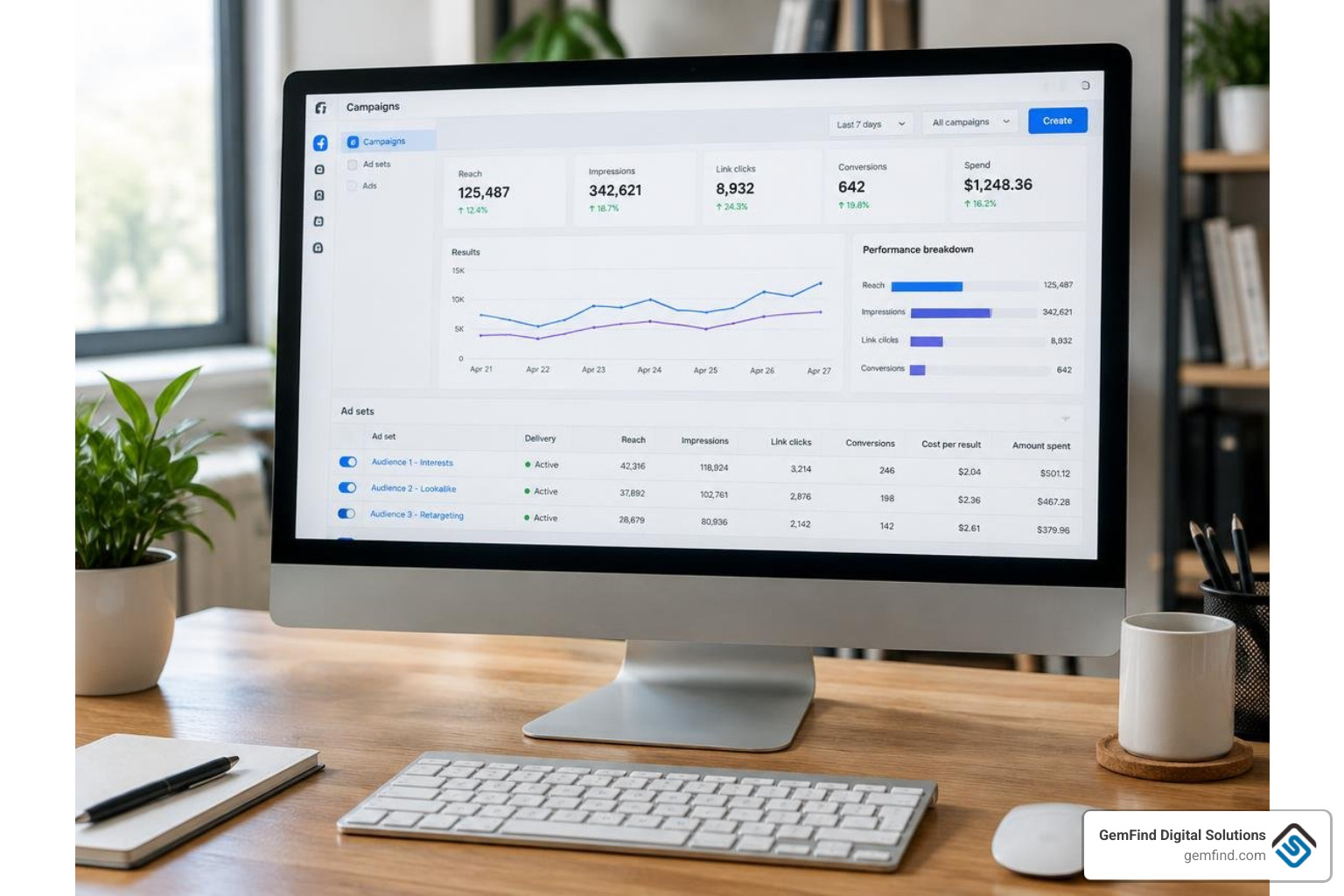
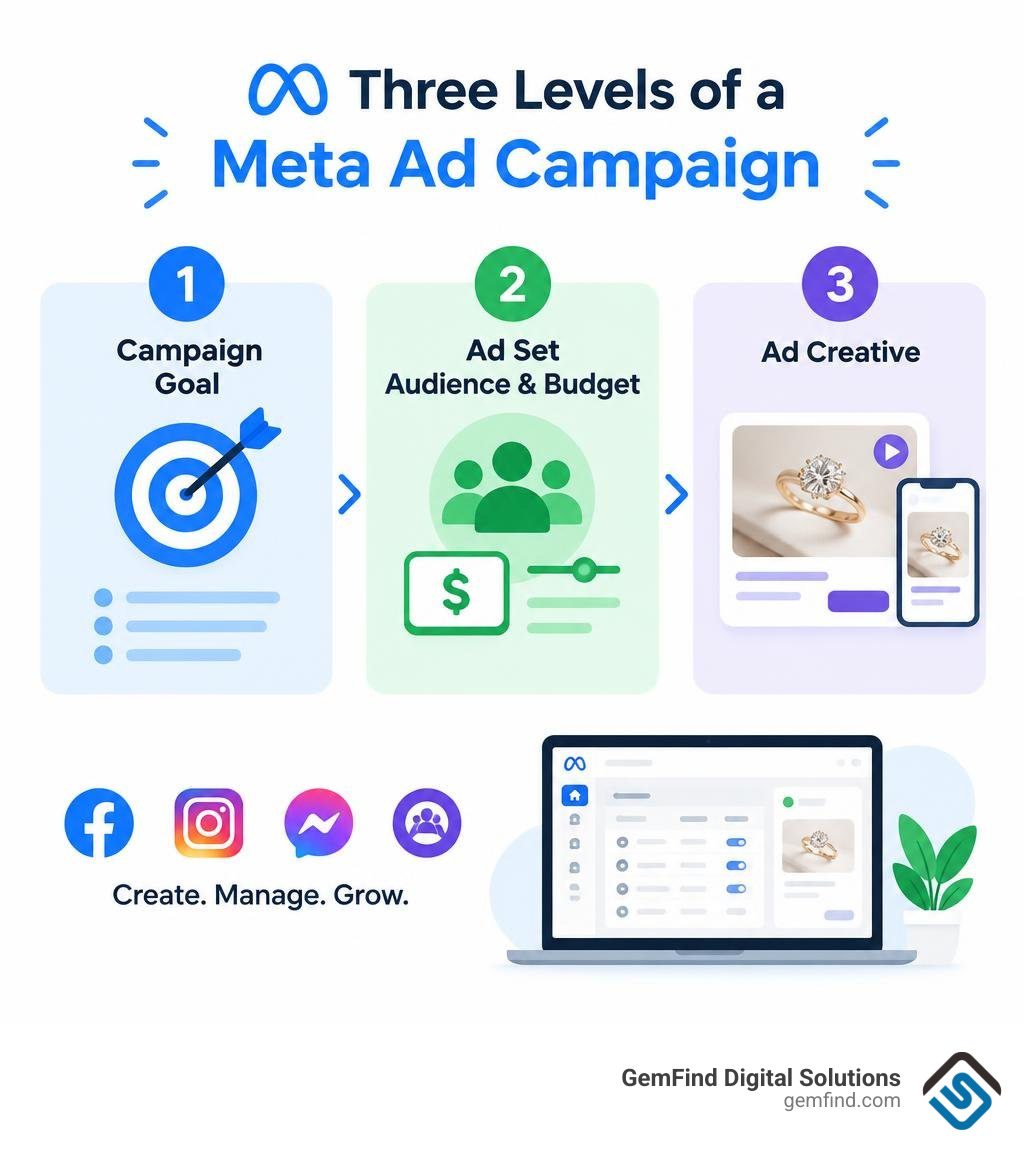
Meta Ads Manager is the free tool for creating and tracking ads across Facebook, Instagram, Messenger, and Audience Network. To launch a campaign, choose a goal, set your audience and budget, add your images or video, then review and publish. You pay for the ads you run, not for access to the tool.
For a jewelry store, that means you can test which products and messages bring in shoppers, then use the results to guide your next campaign. This guide will show you how to set up, manage, and improve those campaigns, and when to use Meta Business Suite instead.
I’m Anthony Arechiga, VP of Sales at GemFind Digital Solutions. Since 2007, I’ve worked with jewelry businesses on digital growth, and I’ll bring that practical lens to using meta ad manager.
Meta ad manager terms you need:
What Is Meta Ads Manager and How Has It Evolved?
Meta Ads Manager serves as the centralized engine behind paid digital advertising across Facebook, Instagram, Messenger, and the Audience Network. Originally known as Facebook Ads Manager, the platform was rebranded to reflect Meta's expanding ecosystem. With over 2.9 billion monthly active users across Meta properties, the tool provides businesses of all sizes with direct access to global and local consumer markets.
Instead of treating each platform as an isolated silo, Ads Manager allows advertisers to create a single creative campaign and distribute it seamlessly across various user touchpoints. Whether you want to deliver visual feed posts, interactive Stories, Messenger direct sponsored messages, or expand off-platform via the Audience Network, the system handles the technical delivery from one workspace. If you are just starting out, reviewing the official Blueprint guide to get started with Ads Manager is a great baseline alongside our detailed breakdown of running Instagram ad campaigns.
Difference Between Meta Business Suite and Meta Ads Manager
A common point of confusion among business owners is the distinction between Meta Business Suite and Meta Ads Manager. While both are official Meta management tools, they serve fundamentally different functions within your digital marketing strategy.
Meta Business Suite is built for high-level administration and organic content workflows. It consolidates your organic Facebook and Instagram posts, scheduling calendars, unified messaging inboxes, and basic audience growth metrics. Meta Ads Manager, by contrast, is a dedicated paid media environment designed for precise audience targeting, bidding control, conversion tracking, split testing, and machine-learning optimization.
| Feature / Capability | Meta Business Suite | Meta Ads Manager |
|---|---|---|
| Primary Purpose | Organic management & cross-app administration | Paid campaign creation, optimization & scaling |
| Audience Targeting | Basic demographic filters for post boosts | Advanced Custom, Lookalike & Advantage+ audiences |
| Conversion Tracking | High-level page interactions | Full Meta Pixel and Conversions API integration |
| Testing Tools | Basic post scheduling comparisons | Rigorous split testing (A/B testing) for creative & copy |
| Bidding & Budgeting | Simplified daily budgets for boosts | Dynamic bidding, cost caps & Advantage+ budget controls |
To explore how these interfaces interact when building your overarching media presence, review our breakdown on navigating Meta Business Suite Ads Manager.
Meta Ads Manager vs. Search Advertising
Understanding when to leverage paid social versus search advertising comes down to consumer intent. Search advertising captures active intent—users typing a specific query into a search engine looking for an immediate solution. Meta Ads Manager excels at visual discovery and demand generation, introducing curated products to qualified consumers as they browse their feeds.
Projections show Meta capturing 26.8% of global ad spending in 2026, taking the top spot in the digital ads market. This growth is driven by machine-learning capabilities that analyze user behaviors, aesthetic tastes, and life milestones. For visual industries like fine jewelry, luxury retail, and lifestyle goods, Meta's visual-first placements allow brands to build emotional connections long before a consumer actively searches for a product keyword.
How to Build High-Converting Campaigns in Meta Ad Manager
Launching a successful campaign requires careful preparation before touching a single bidding lever. Ensuring your tracking infrastructure and digital assets are configured properly prevents wasted ad spend and optimizes your return on investment.
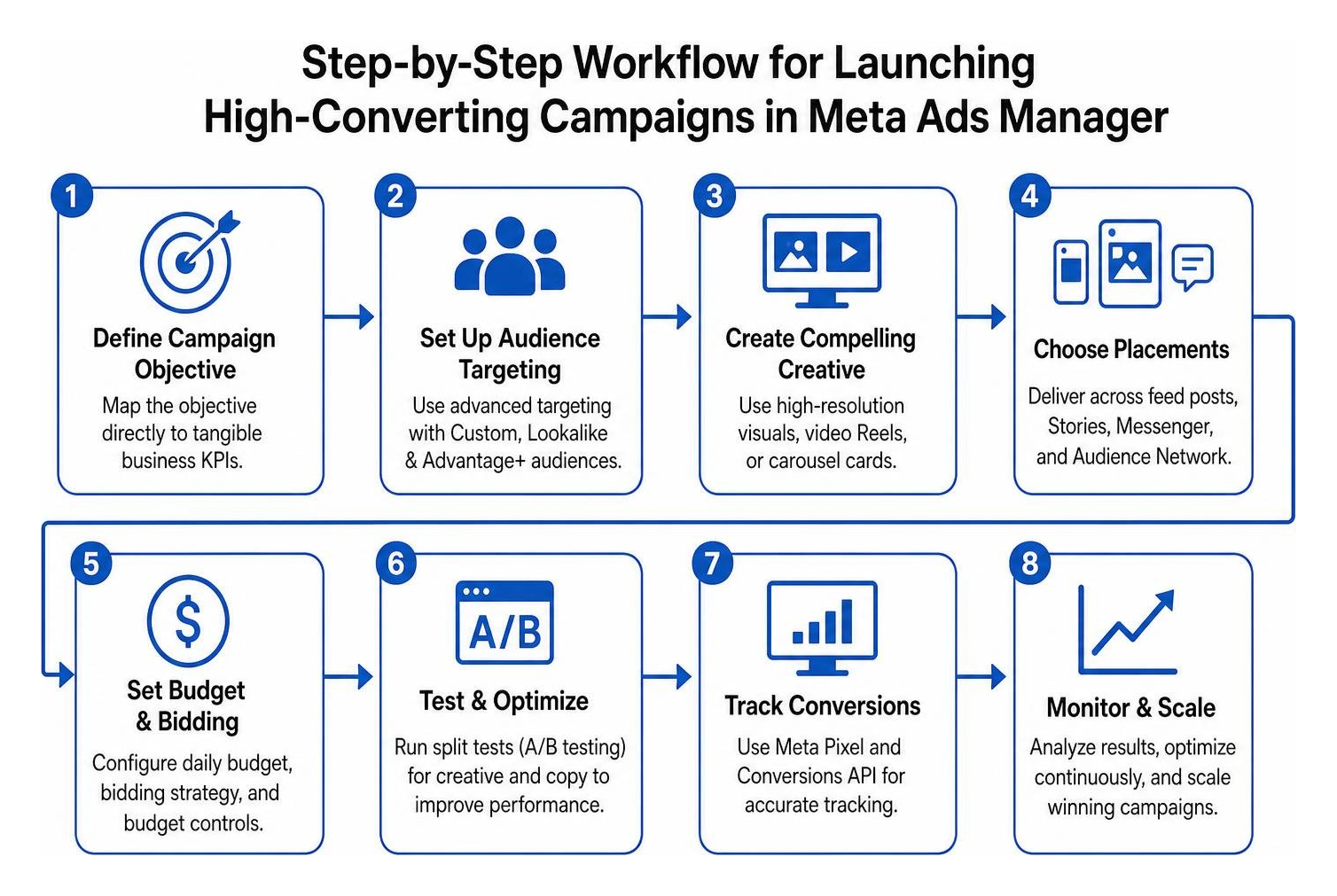
Before publishing, ensure you have assembled these core campaign assets:
- An active Facebook Business Page and linked Instagram professional account
- A verified Meta Pixel and Conversions API connection on your website
- Clear campaign objective mapped directly to tangible business KPIs
- High-resolution visual creative (static imagery, video Reels, carousel cards)
- Engaging ad copy variants tailored to your target customer profiles
- Accurate UTM tracking parameters appended to destination URLs
Navigating the Meta Ad Manager Account Hierarchy
Meta structures advertising into a clear three-tier hierarchy: Campaigns, Ad Sets, and Ads. Navigating this structure properly allows for clean data analysis and streamlined scaling.

- Campaign Level: This is where you establish your core objective (such as Sales, Leads, Engagement, Traffic, App Promotion, or Awareness). You also decide whether to apply an Advantage+ campaign budget across the entire structure.
- Ad Set Level: This layer controls who sees your ads, where they appear, and how much you spend. Here you define audience targeting, select placements (manual vs. Advantage+), establish schedules, and choose bidding caps.
- Ad Level: The customer-facing layer. This is where you upload visual creatives, write primary text and headlines, select call-to-action buttons, and configure URL tracking.
By structuring campaigns methodically, you can leverage bulk editing tools to adjust dozens of ad sets simultaneously or run isolated A/B tests to identify winning elements without resetting the algorithmic learning phase.
Defining Audiences: Custom, Lookalike, and Advantage+ Targeting
Targeting in Meta Ads Manager ranges from broad interest-based discovery to precision retargeting.
- Detailed Targeting: Allows you to segment users based on demographic data, specific interests, and behavioral triggers (such as relationship milestones, anniversary dates, or luxury shopping habits).
- Custom Audiences: Re-engage users who have already interacted with your brand. These audiences are built from customer email lists, website visitors captured by the Meta Pixel, or users who engaged with your Instagram profile. For comprehensive retargeting frameworks, see our guide on Facebook remarketing strategies.
- Lookalike Audiences: Meta evaluates the shared data points of your best existing customers and identifies high-affinity prospective buyers across the network. Learn how to construct high-performing seeds with our guide on building Facebook lookalike audiences.
- Advantage+ Audience: Meta’s automated targeting engine uses your selected parameters as a starting guide, then expands dynamically using real-time machine learning to locate conversions at the lowest cost.
Setting Budgets, Placements, and Bidding Strategies
Budgeting can be handled at either the campaign level or the individual ad set level. Advertisers can choose between Daily Budgets (the average amount you wish to spend each day) and Lifetime Budgets (the maximum spend across a scheduled campaign window). That Meta's algorithm can spend up to 75% above your daily budget on high-opportunity days, provided the average balances out across your weekly schedule.
For placements, Advantage+ Placements automatically routes your creatives across Facebook, Instagram, Messenger, and Audience Network based on where ad inventory is cheapest and most effective. If your brand guidelines require strict visual control, Manual Placements allows you to restrict delivery exclusively to specific feeds, Stories, or Reels. Bidding strategies can be left on Highest Volume (maximizing conversions for your budget) or set to Cost Cap to keep your acquisition costs below a strict threshold.
Meta Ads Costs, Benchmarks, and Budgeting in 2026
Effective budgeting requires a clear understanding of current industry benchmarks. Digital advertising costs fluctuate based on industry vertical, audience competition, seasonal demand, and ad quality.
In September 2026, cross-industry benchmarks reflect the following averages:
- Average Cost Per Click (CPC): $1.02
- Average Cost Per Mille / 1,000 Impressions (CPM): $17.54
- Average Cost Per Lead (CPL): $38.56
- Average Cost Per Engagement (CPE): $0.089
Costs vary significantly by sector. For instance, apparel and lower-ticket retail brands experience an average CPC of roughly $0.45, whereas competitive sectors like finance, insurance, and high-end services pay upwards of $3.77 per click. Maintaining high ad relevance and strong creative rotation helps keep your acquisition costs well below industry medians.
Maximizing Return with Advantage+ AI Optimizations
Meta's Advantage+ suite uses algorithmic machine learning to automate campaign setup, creative combinations, and budget distribution. For e-commerce and retail brands, Advantage+ Shopping Campaigns streamline the sales funnel by dynamically testing creative variations against broad audience pools.

According to Meta's platform performance data, sales campaigns utilizing Advantage+ features achieve an average 20% improvement in cost per action (CPA). By automating placement selection and creative adjustments, the algorithm identifies high-intent purchasers faster than manual segmentation alone.
Budget Allocation Across the Sales Funnel
To maintain sustainable customer acquisition, avoid dedicating 100% of your budget strictly to bottom-of-funnel conversion ads. A healthy, scalable media budget should be balanced across the entire customer lifecycle:
- 50% Top-of-Funnel (Awareness & Prospecting): Video Reels, lifestyle carousels, and broad audience discovery designed to introduce new prospects to your brand.
- 25% Middle-of-Funnel (Consideration & Education): Detailed product benefits, brand heritage, customer reviews, and educational content targeted at engaged users.
- 15% Bottom-of-Funnel (Conversion & Retargeting): Specific product carousels, abandoned cart dynamic ads, and direct incentive offers to drive immediate purchases.
- 10% Retention & Loyalty: Cross-sell promotions, new collection previews, and customer appreciation campaigns aimed at driving repeat purchases from past buyers.
Mobile Campaign Management, Common Pitfalls, and Account Security
Managing campaigns requires ongoing monitoring, quick adjustments, and strong account safeguards to protect your ad budget.
Managing Campaigns on the Go with the Meta Ad Manager App
For marketers and business owners away from their desks, the Meta Ads Manager mobile app provides essential on-the-go functionality. The app has achieved over 10 million downloads on Google Play, maintaining strong user sentiment with a 4.5 out of 5-star rating across 52,000 Apple App Store reviews and a 4.3 out of 5-star rating across 567,000 Google Play reviews.
You can install the official Meta Ads Manager app on Google Play or download it from the Apple App Store.
The mobile interface is ideal for:
- Toggling underperforming campaigns, ad sets, or ads on and off instantly
- Monitoring real-time delivery metrics, spend pacing, and conversion events
- Comparing up to five ad sets side-by-side to evaluate performance differences
- Receiving immediate push notifications regarding ad approvals or delivery disruptions
While the mobile app excels at monitoring and quick adjustments, complex creative setups, extensive catalog configurations, and detailed pixel troubleshooting are best performed on the desktop browser version.
Troubleshooting Ad Account Restrictions and Security Risks
Account security is one of the most critical aspects of managing paid campaigns. Advertisers frequently report phishing attempts, unauthorized account takeovers, and sudden ad restrictions resulting from automated compliance scans.
To protect your digital assets:
- Enforce Two-Factor Authentication (2FA): Require mandatory 2FA for every administrator, employee, and partner connected to your Meta Business Manager.
- Audit Admin Roles: Regularly review account permissions and assign only the minimum access level necessary for team members to perform their roles.
- Beware of Phishing Messages: Meta will never send direct messages via Messenger threatening immediate page deletion or demanding password verification. Legitimate policy notices appear inside your Business Support Home.
- Maintain Backup Payment Methods: Add a secondary credit card to prevent campaign interruptions if your primary billing method encounters a verification delay or daily transaction cap.
Frequently Asked Questions about Meta Ad Manager
Is Meta Ads Manager free to use?
Yes, Meta Ads Manager is entirely free to access. You do not pay any subscription or platform fee to use its dashboard, audience creation tools, or reporting analytics. You only pay for the ad spend you authorize through your chosen bidding model, billing thresholds, and campaign budgets.
Why are my Meta ads not delivering or underperforming?
Ad delivery issues generally stem from a few common causes:
- The Learning Phase: New ad sets need roughly 50 conversion events within a 7-day period to complete the algorithmic learning phase. Significant edits reset this process.
- Overly Narrow Audiences: Restricting your targeting with too many overlapping filters can cause your audience pool to be too small for efficient delivery.
- Creative Fatigue: Serving the exact same ad image to a small audience repeatedly leads to high ad frequency, declining click-through rates, and rising CPMs.
- Auction Overlap: Running multiple ad sets that target the same internal audience causes your campaigns to compete against themselves in the ad auction.
What is the difference between Advantage+ and manual campaign budgets?
Advantage+ Campaign Budget (formerly known as Campaign Budget Optimization or CBO) uses Meta’s machine-learning algorithm to automatically distribute your total daily budget to the highest-performing ad sets in real time. Manual Ad Set Budgeting (ABO) gives you absolute control, allowing you to lock in specific spend amounts for individual audience segments regardless of algorithmic preference.
Conclusion
Mastering Meta Ads Manager is one of the most impactful investments you can make in your business’s digital growth. By establishing a structured campaign hierarchy, pairing precision audience segmentation with Advantage+ automation, and maintaining a balanced full-funnel budget, you can consistently turn social media engagement into measurable revenue.
Digital marketing is an iterative process. Continually test fresh creative formats, analyze real-time performance metrics, and refine your messaging to stay ahead of the competition.
If you are looking to elevate your digital marketing campaigns with specialized, industry-tested expertise, connect with our team at GemFind Digital Solutions to build a high-performing advertising strategy tailored to your business goals.
— Anthony Arechiga, VP of Sales at GemFind Digital Solutions


