


Manage Meta Ads Without Wasting Your Budget

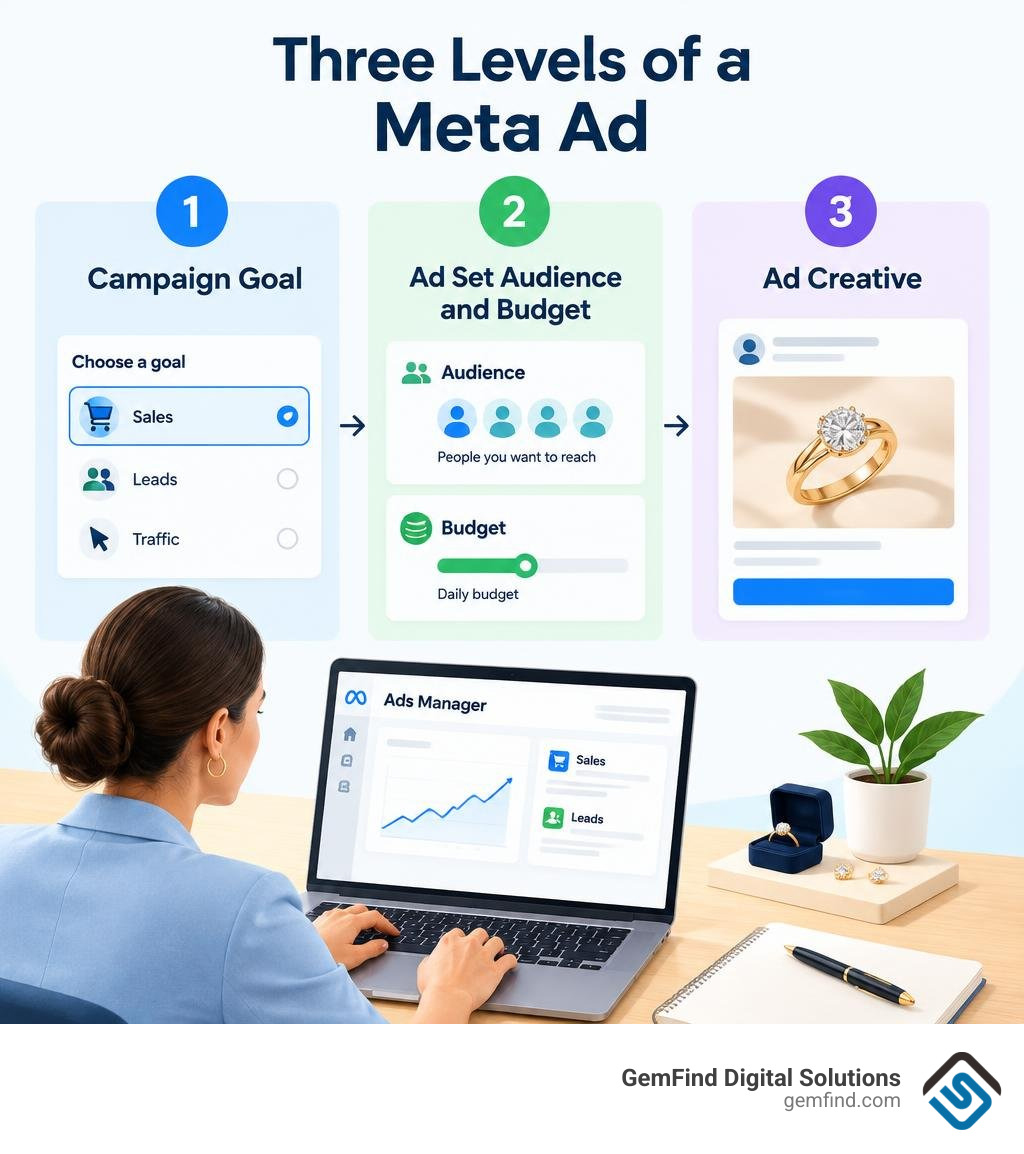
Start in Meta Ads Manager: Choose a campaign goal, set an audience and budget, then create your ad. Once it runs, check sales or leads and their cost before increasing spend. For a jewelry store, that means judging a campaign by customer results, not likes alone.
This guide covers the choices that matter most: campaign setup, targeting, budgets, reporting, and fixes for ads that stop delivering. It also shows when Meta Business Suite or the mobile app is enough for a quick check.
I'm Anthony Arechiga, VP of Sales at GemFind Digital Solutions, where I've worked on growth in the jewelry industry since 2007. I bring that experience to this ads meta manager guide to help you make clearer decisions about your ad spend.
Common ads meta manager vocab:
What Is the Ads Meta Manager and How Does It Compare Across Tools?
Meta is projected to account for 26.8% of global digital ad spending in 2026, positioning it as the leading digital advertising ecosystem worldwide. With billions of active users spanning Facebook, Instagram, Messenger, WhatsApp, and the Audience Network, reaching prospective buyers is straightforward. However, converting high-intent shoppers requires selecting the right management tool.
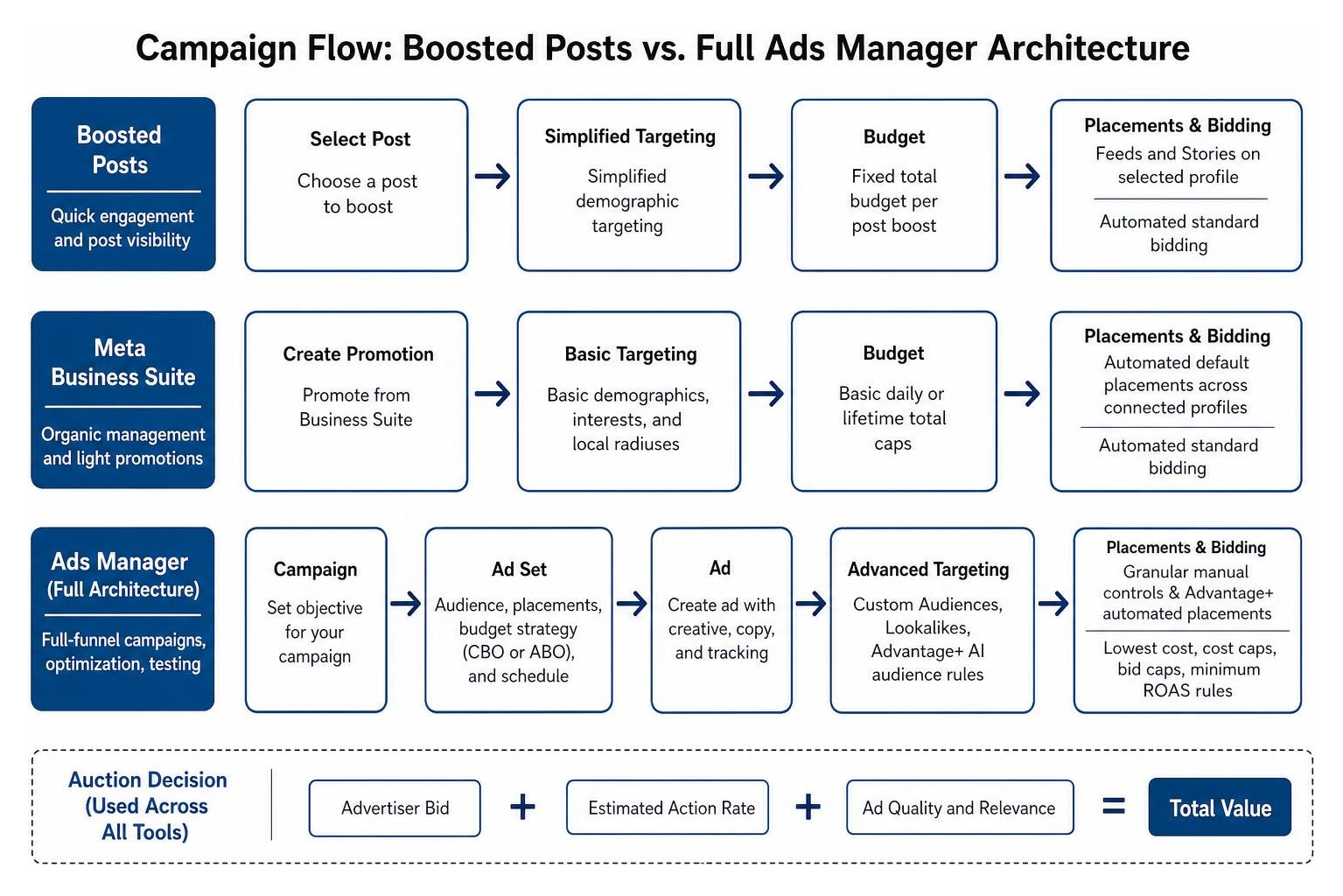
Navigating the difference between the full desktop dashboard and lighter tools is essential. While many business owners begin by clicking "Boost Post," accessing enterprise features like custom tracking and structured testing requires a deeper understanding of meta business suite ads manager workflows.
| Feature / Capability | Meta Ads Manager | Meta Business Suite | Boosted Posts |
|---|---|---|---|
| Primary Purpose | Full-funnel campaign creation, conversion optimization, testing | Organic content scheduling, inbox management, light promotions | Quick engagement and post visibility |
| Targeting Precision | Custom Audiences, Lookalikes, Advantage+ AI audience rules | Basic demographics, interests, and local radiuses | Simplified demographic targeting |
| Budget Control | Campaign Budget Optimization (CBO) & Ad Set Budgets (ABO) | Basic daily or lifetime total caps | Fixed total budget per post boost |
| Placement Options | Granular manual controls & Advantage+ automated placements | Automated default placements across connected profiles | Feeds and Stories on selected profile |
| Auction Bidding | Lowest cost, cost caps, bid caps, minimum ROAS rules | Automated standard bidding | Automated standard bidding |
Ads Manager vs. Meta Business Suite and Boosted Posts
Every ad impression served across Meta platforms is decided by a real-time algorithmic auction. Rather than awarding impressions solely to the highest bidder, Meta calculates a Total Value score using three main components: the advertiser bid, the estimated action rate, and the ad quality and relevance score.
Boosted posts rely on a simple approach suited for generating post likes and video views. However, they lack the optimization layers needed for high-value sales. When you want to streamline operations, using our meta business suite guide 2026 helps manage social posts and community interactions alongside paid ads.
For full-funnel marketing—such as retargeting luxury jewelry shoppers who browsed engagement rings—establishing a meta business manager account is the best route. It allows your brand to manage pixel assets, customer catalogs, and user permissions from one centralized hub.
Mobile Ads Meta Manager App vs. Desktop Capabilities
The Meta Ads Manager mobile app—available on iOS with a 4.5-star rating across 53,000 reviews and on Android via the Meta Ads Manager on Google Play listing with over 10 million downloads—is built for real-time monitoring.
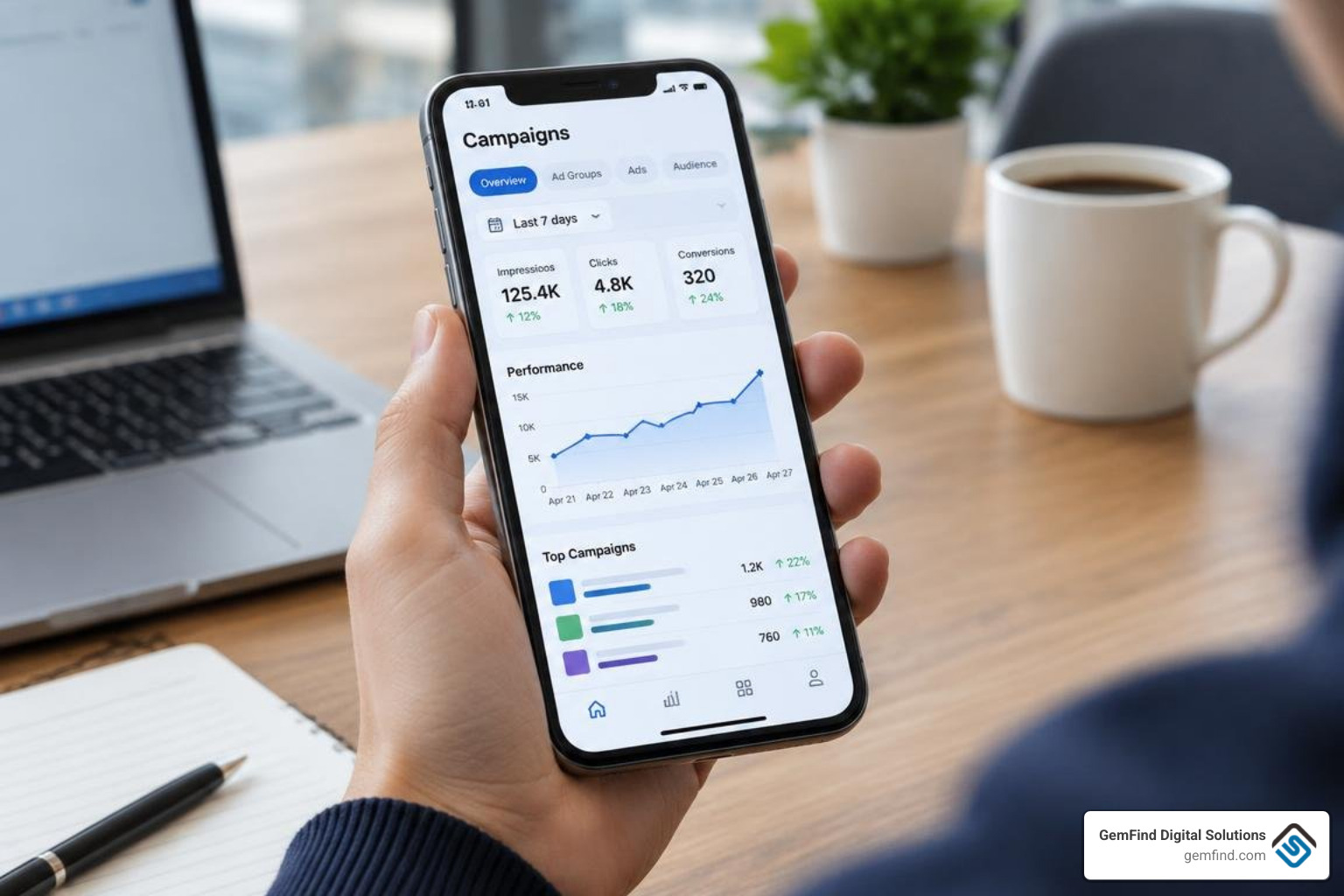
The mobile app enables social media managers and business owners to:
- Receive push alerts regarding budget spikes, spent limits, and policy decisions.
- Toggle active campaigns, ad sets, and ads on or off instantly.
- Compare ad set metrics side-by-side while away from a desk.
- Switch between multiple business accounts seamlessly.
Despite these conveniences, the mobile app is not a total replacement for the desktop interface. Complex workflows—such as configuring Conversions API (CAPI) parameters, building complex custom audience combinations, modifying beneficiary settings, and doing detailed reporting breakdowns—are best executed via business facebook com ads manager on a desktop browser.
Setting Up Campaigns, Ad Sets, and High-Converting Ads
Successful paid advertising relies on a clean, logical three-tier campaign architecture:
- Campaign Level: Defines the overall business objective, buying type, and high-level budget strategy.
- Ad Set Level: Determines the target audience, placement distribution, performance goals, scheduling, and individual ad set budgets.
- Ad Level: Houses the visual creative assets, copy, headlines, lead forms, and destination URLs.
Before publishing ads, verify your tracking infrastructure. Installing the Meta Pixel and configuring the server-side Conversions API ensures every conversion event is properly matched to the user journey. Meta Blueprint offers a helpful starting foundation through its tutorial on Ads Manager setup.
Setting Up Your First Campaign in Ads Meta Manager
Meta organizes campaign creation into six simplified objectives:
- Sales: Built for catalog sales, checkouts, and driving e-commerce revenue.
- Leads: Ideal for capturing customer inquiries, instant forms, consultations, and calls.
- Traffic: Directs clicks to specific URLs, landing pages, or store locators.
- Engagement: Generates video views, post shares, and messaging conversations across Messenger, Instagram Direct, and WhatsApp.
- Awareness: Maximizes total reach and brand recall.
- App Promotion: Drives mobile app installs and in-app event actions.
When setting up Instagram placements, following dedicated setup steps for meta ads manager instagram campaigns ensures creative formats like Reels (9:16 vertical video) and Stories look natural and fit user feeds correctly.
Advantage+ Audience Targeting and Placements
Meta updated its detailed targeting system by consolidating overlapping interest categories and removing older detailed interest exclusions. Un-updated ad sets built on deprecated parameters stopped delivering in early 2026, making AI-driven audience models more important than ever.
Advantage+ Audience uses your selected interests and customer lists as a directional guide, then searches across the entire platform for high-converting prospects. According to Meta, campaigns using Advantage+ features see an average 20% improvement in cost per action. For competitive creative intelligence and research, checking the meta ad library alongside our facebook ad library search guide 2026 shows the messaging strategies top-performing brands use to guide their audience targeting. You can also explore the public facebook ads library to evaluate competitor angles.
To discover how these modern targeting shifts fit into broader digital strategies, read Shopify's 2026 guide to Meta ad management for additional multi-channel insights.
Smart Budget Allocation, Bidding, and Benchmark Costs
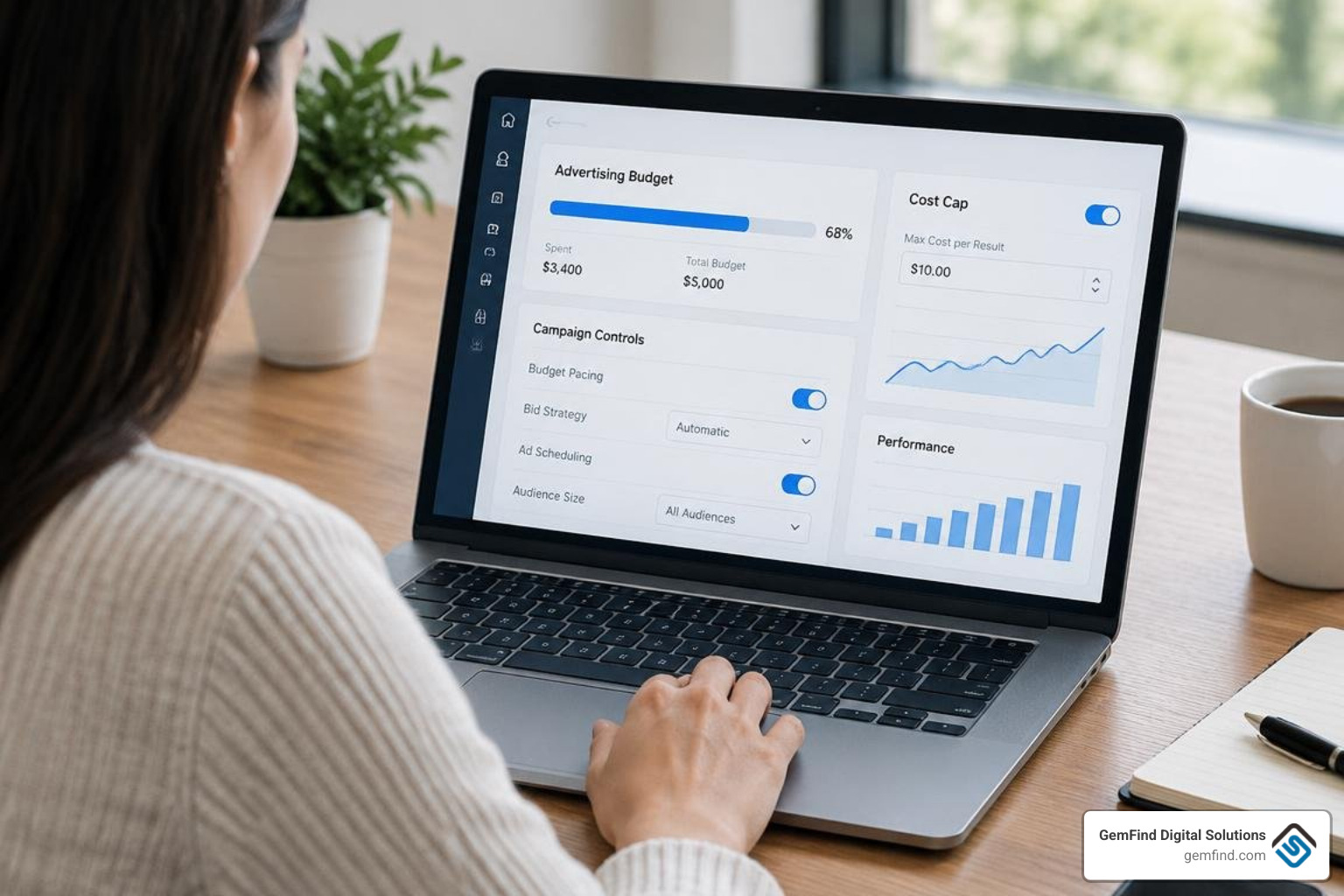
Scaling ad spend profitably requires knowing when to let Meta’s machine-learning algorithms manage budget distribution and when to apply manual controls.
Campaign Budget Optimization (CBO) vs. Ad Set Budgets (ABO)
Meta’s Advantage+ Campaign Budget (formerly known as Campaign Budget Optimization or CBO) manages spending across all ad sets within a campaign in real time, funneling daily spend toward the ad set producing the most cost-effective opportunities.
- Use Advantage+ Campaign Budget (CBO) when testing audiences of comparable sizes, scaling validated evergreen creatives, or letting the system dynamically capture volume across broader demographics.
- Use Ad Set Budgets (ABO) when segmenting audiences by guaranteed spend requirements (such as protecting a dedicated budget for local store visits or retargeting cart abandoners) or testing new, unproven creative angles.
To build structured scaling frameworks, look into our meta ads management complete guide for proven account configurations.
Key Industry Cost Benchmarks and Financial Metrics to Track
Evaluating your account's financial performance requires comparing metrics against standard cross-industry benchmarks:
- Average Cost Per Mille (CPM): $17.54
- Average Cost Per Click (CPC): $1.02 (ranging from $0.45 in general apparel to $3.77 in competitive finance/insurance sectors)
- Average Cost Per Lead (CPL): $38.56
- Average Cost Per App Install (CPI): $6.10
- Average Cost Per Engagement (CPE): $0.089
When auditing ad performance, prioritize bottom-line business metrics before diagnosing secondary click indicators:
- Primary Business Results: Total Purchases/Leads, Cost Per Result (CPA/CPL), Return on Ad Spend (ROAS), and Total Purchase Conversion Value.
- Diagnostic Click Metrics: Outbound Click-Through Rate (CTR), Cost Per Outbound Click, Cost Per Mille (CPM), and Video Average Watch Time.
Troubleshooting Common Issues and Optimizing Performance
Even well-structured campaigns encounter delivery roadblocks, rising acquisition costs, and platform errors. Here is how to diagnose and resolve them.
Escaping Learning Limited and Fixing Delivery Freezes
When an ad set displays a "Learning Limited" status, it means the ad set did not generate enough conversion events to exit the learning phase. Meta’s delivery system requires approximately 50 optimization events per ad set within a 7-day window to calibrate delivery.
If an ad stops delivering entirely, verify that billing info is up-to-date, confirm that your target audience exceeds 50,000 users, and review the Account Quality dashboard for hidden policy restrictions.
Mitigating Rising CPMs, Account Security, and Billing Errors
When CPMs spike, it is often a sign of audience saturation and creative fatigue. Refresh your ad assets by introducing new hooks, testing vertical Reels video formats, or varying the creative concepts.
Account security issues, such as unauthorized charges and profile compromises, remain a major frustration for advertisers on mobile and web dashboards alike. Protect your business assets by following these steps:
- Turn on Two-Factor Authentication (2FA) for all administrators across your Meta Business Portfolio.
- Assign Strict Role Permissions: Never grant admin privileges to external contractors when analyst or advertiser access is sufficient.
- Set Account Spend Limits: Implement hard daily caps inside billing settings to prevent unauthorized budget spikes.
- Escalate Direct Inquiries: If an ad account is compromised, submit a recovery ticket immediately via the official Meta Business Support Help Center.
For businesses in specialized retail categories like fine jewelry, tailoring your campaigns to local intent is key. Explore our specialized meta ads management for jewelers to see how dedicated product feeds and point-of-sale integrations drive measurable in-store and online results.
Frequently Asked Questions About Meta Advertising
Is Meta Ads Manager free to use?
Yes. Accessing the Meta Ads Manager desktop platform and downloading the mobile app is completely free. Advertisers only pay for the ad spend accumulated during their campaigns based on the selected budget, auction bids, and billing thresholds.
Why are my ads stuck in the learning phase?
Ads remain stuck in the learning phase—or trigger a "Learning Limited" warning—when the ad set fails to achieve roughly 50 optimization events within a 7-day window. This typically occurs when the target audience is too small, the daily budget is set too low, or the selected conversion event (such as a high-ticket checkout) happens too infrequently.
How does Advantage+ improve cost per action?
Meta's Advantage+ systems leverage automated machine learning to test multiple creative variations, adjust format aspects dynamically, and allocate budget across the most cost-effective placements and audiences in real time. Meta data indicates that campaigns utilizing Advantage+ tools achieve an average 20% improvement in cost per action.
Conclusion
Scaling social ad campaigns profitably requires moving beyond simple post boosts and mastering the structured workflows of Meta Ads Manager. By understanding the auction dynamics, leveraging Advantage+ targeting, choosing the right budget structures, and resolving learning phase bottlenecks, your brand can protect ad spend and drive consistent, scalable revenue.
At GemFind Digital Solutions, we have guided independent retailers, luxury brands, and businesses through digital growth for over 25 years. Whether you need an e-commerce integration, website enhancements, or end-to-end paid campaign management, our team delivers results tailored to your market.
Connect with our team to elevate your advertising strategy and scale your social campaigns: explore our expert Meta ads management services today.
— Anthony Arechiga, VP of Sales at GemFind Digital Solutions


